Web App vs Mobile App is now the most discussed and criticized important chapter in the world of technology. Nowadays, people are using some application almost every day.
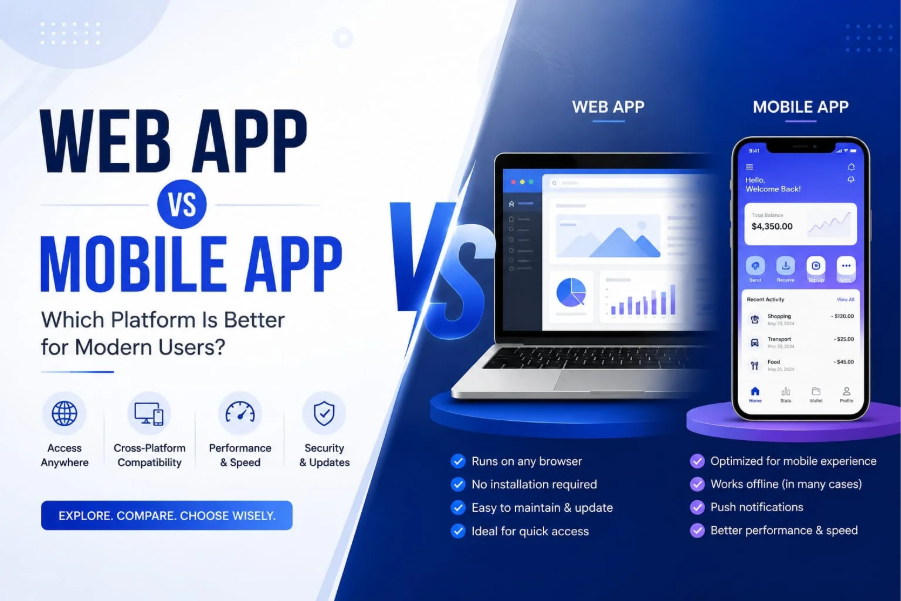
From ordering food to taking online classes, from receiving banking services to various office activities or shopping, the use of applications has increased manifold in almost everything.
Some applications have to be managed in the browser, that morning the applications are called web applications. And some applications have to be installed directly on the phone and used, that morning the applications are called mobile applications.
Nowadays, many businesses face one of the biggest decisions when starting various modern or digital projects through the digitalization process.
Should they create a web application or a mobile application?
The answer to this question depends on the cost of development, user experience, high performance, maintenance and the use of special features. Therefore, it is very important for us to have a clear idea about these two types of application platforms at present.
According to various studies, the number of smartphone users around the world is increasing uncontrollably and the mobile application industry is earning billions of dollars every year. At the same time, the popularity of cloud-based web platforms and progressive Web Apps or PWA has increased significantly.
Many people think that mobile applications always work well and help gain better performance. Some people think that web applications are the most practical and offer users good performance at a low cost.
However, in reality, the matter is not so simple. Because both types of applications have their own strengths and some limitations. Mobile applications may be the best solution for a business, while web applications can play the most effective role in some cases.
In this article, we will discuss in detail the main differences between Web App vs Mobile App, some specific advantages and disadvantages, development technology, security, business impact and performance comparison, and also discuss what new possibilities there may be in this regard in the future.
In addition, a table of important differences will be created and some real examples will be used to explain the matter more easily to the general reader.
Understanding the Basics of Applications
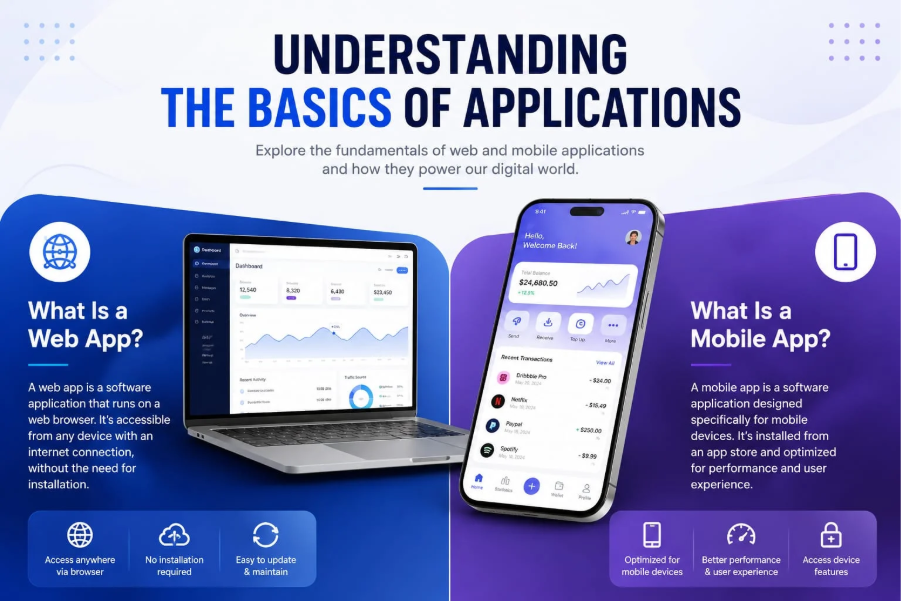
What Is a Web App?
Web App is an application which can be utilized straight away via the browser and enjoy all its features. No user has to get any separate Applications. It is possible to run Web App only by opening the URL. Examples include the web versions of Gmail, Google Docs and Trello.
Web App is basically created using web technologies such as HTML, CSS and JavaScript. In modern times, many advanced Web Apps are being created using frameworks such as React, Angular and Vue.
The biggest advantage is cross-platform accessibility. The same Web App can be used on almost all smart devices including Windows, Android, iPhone or Mac. As a result, the development cost is reduced to a large extent.
Important features of Web App
- Browser-based access
- No installation required
- Cloud-based storage support
- SEO benefits
- Multi-device compatibility
However, Web Apps also have some limitations. Browser limitations mean that advanced hardware integration is not always possible. In addition, poor internet connections can severely degrade performance.
What Is a Mobile App?
In the comparison of Web App vs Mobile App, a mobile App is an application that is installed directly on a smartphone or tablet and used. These applications are usually installed from official platforms like the Google Play Store or Apple App Store.
Also, applications with advanced features can be downloaded and used from some third-party stores.
Mobile App can be of two types
- Native App
- Cross-platform App
Applications that are created for a specific operating system are called Native Apps. For example, applications made in Kotlin, Java and Swift are used for the Android platform and iOS platform.
On the other hand, applications are created for cross-platform using Flutter or React Native technology.
The biggest strength of mobile applications is device integration. Due to this feature, it can be used conveniently with a variety of devices. Such applications can easily use all the features of the phone such as: Camera, GPS, Bluetooth, Fingerprint and notification system.
For example:-
- Uber uses real-time GPS
- TikTok uses camera integration
- Spotify offers offline music support
Because of all these advanced features, mobile apps generally provide a smoother and faster experience.
Evolution of Digital Applications
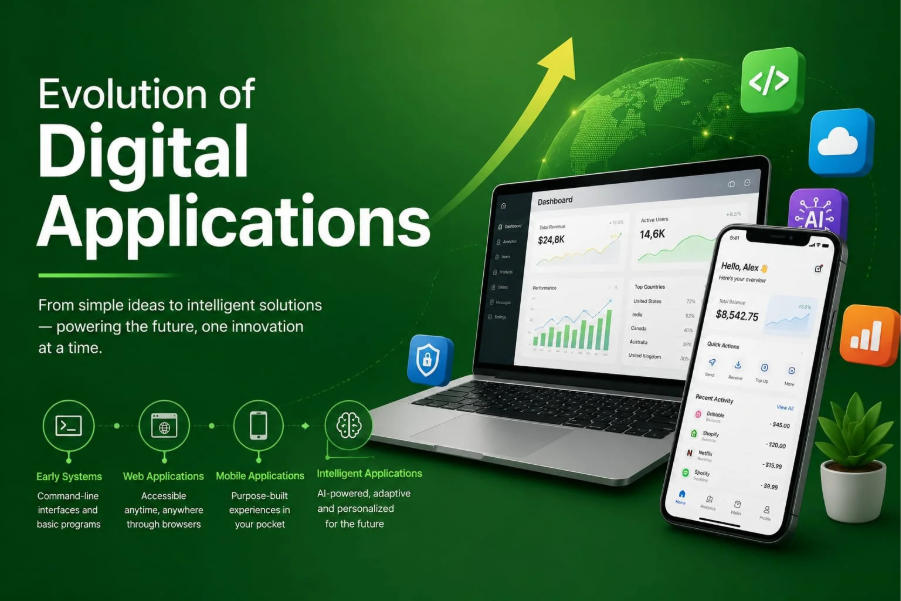
To know the comparison of Web App vs Mobile App, first of all we need to know about its Evolution.
Initially, most of the smart platforms or digital platforms were based on static websites. Later, due to the development of JavaScript and cloud computing technology, web applications gradually gained wide popularity. Then, when smartphones were widely developed, the mobile application industry started growing very rapidly.
In the comparison of Web App vs Mobile App, there are currently two types of technologies or systems that have come very close to each other. In particular, Progressive Web Apps or PWA is a hybrid solution created between Web App and Mobile App.
Google and Microsoft companies are currently giving the most importance to PWA technology. The main reason for this is that although it is web browser-centric, it is capable of providing a Native Application experience.
Key Differences Between Web App vs Mobile App
Platform Dependency
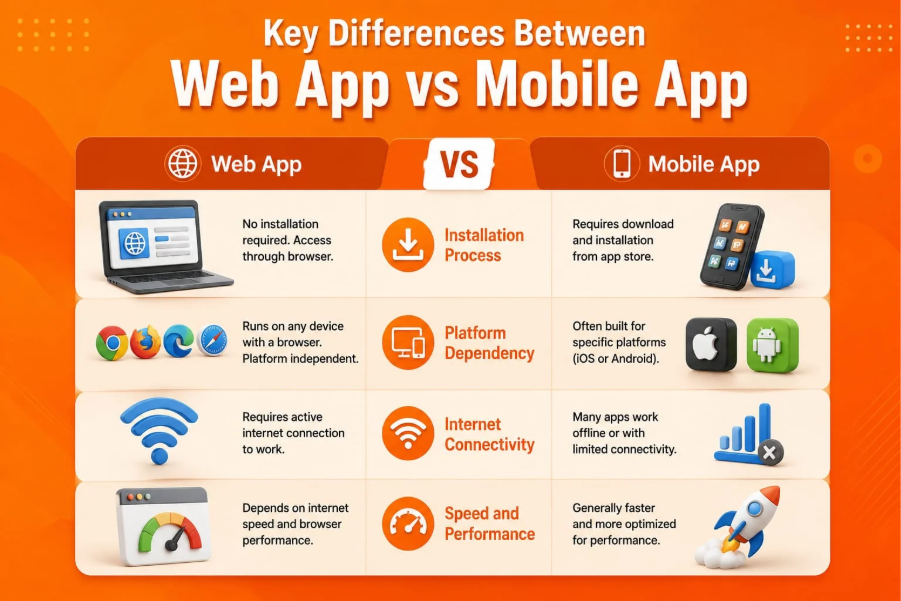
Web applications can usually run on almost all operating systems through a browser. One application can run efficiently on Android devices, iPhones, and desktop computers alike.
On the other hand, mobile applications are almost platform-specific, which requires a separate application for each platform.
Just as a separate application is used for the Android platform, apps have to be developed separately for the iOS platform. As a result, each application requires separate development time and additional money for maintenance.
Quick Comparison Chart
| Feature | Web App | Mobile App |
| Platform Support | Cross-platform | OS-specific |
| Installation | Not Required | Required |
| Hardware Access | Limited | Advanced |
| Development Cost | Lower | Higher |
| Offline Access | Limited | Strong |
Installation Process
There is no need for any installation process to use web applications. Users can easily access each application by directly opening the web browser. This works in a special process called, “Onboarding Process”.
But to use mobile applications, first of all, it has to be downloaded and then installed on the smart phone. Many times, users are hindered in installing applications due to storage problems of smartphones.
However, once a mobile application is installed on a smartphone, user retention increases manifold. The main reason for the increase in user retention is that since the applications are directly on the home screen, they can access the applications at any time without any problem.
🌐 Internet Connectivity
Most of the features of web applications are dependent on the Internet. Although these applications can currently provide a small amount of offline features through Modern PWA technology. Even then it hasn’t been able to get a full offline support.
Mobile applications are the most advanced in this field. The main reason for this is that smartphone applications allow their users to use quite advanced features without an Internet connection.
Most of the mobile applications are the best solution for storing various types of data offline. For example:
- Listen to offline music
- Search saved maps
- Play downloaded videos without internet
- Cached documents
For this reason, mobile apps play the most effective role when traveling or in poor network areas.
Speed and Performance
Performance is one of the most important aspects in Web App vs Mobile App comparison.
Mobile Apps can directly use device hardware. As a result, animation, graphics and loading speed are usually faster than web applications.
On the other hand, Web Apps depend on the browser. The browser rendering process can reduce performance to a large extent.
Especially for those who use gaming or heavy graphics applications, mobile applications are the best solution. As a result, the user can achieve the best experience.
Advantages of Web Applications
Easy Accessibility
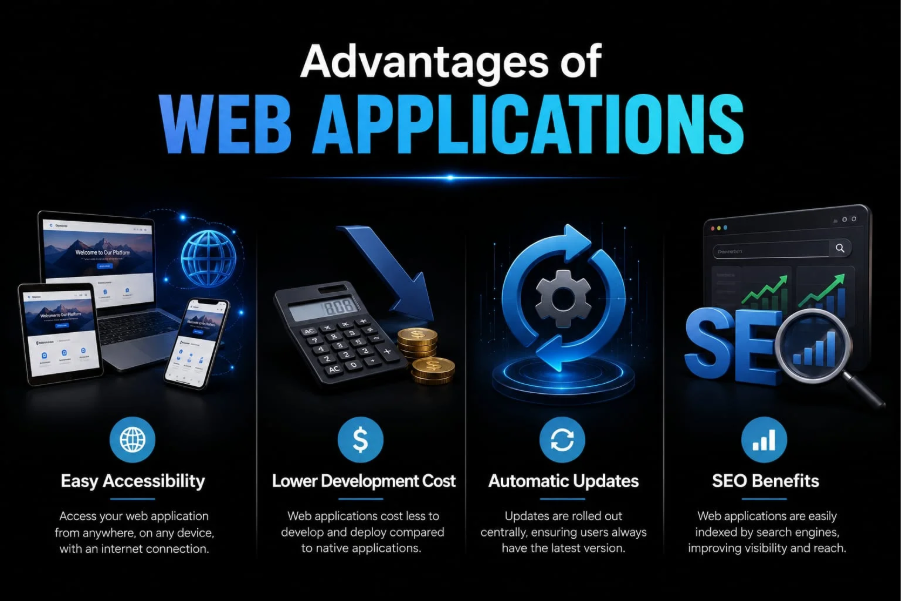
One of the biggest advantages of using web applications is Easy Accessibility. Applications can be easily accessed from the browser on any smart device or computer device with an internet connection. Not required to install any extra application
So for those who want to use applications with quick access for use in the office or at home, web applications can be the best solution.
Due to this easy accessibility, many people are currently preferring web applications over Web App vs Mobile App.
Due to easy access
- User onboarding is easy
- Storage is saved
- Quick access is available
This is a very important issue, especially for educational platforms and SaaS businesses.
💸 Lower Development Cost
Web applications are much less expensive to develop than mobile applications. The main reason for the low cost is that web applications can be supported by multiplying from the “Code-base”.
These applications bring the most benefits to startup businesses. They can quickly capture the marketplaces on any budget.
Why is Web App cost-effective?
- Single codebase
- Easier maintenance
- Faster deployment
- No app store fee
This is why many startup business sites first launch a web app and then create a mobile app to earn more profit.
Automatic Updates
Web Apps are usually updated automatically. Users do not have to manually update or reinstall.
When developers update their servers, users immediately get the latest version of the application. Moreover, these applications are easier to maintain and less expensive to manage.
This is a much easier and smoother method compared to the update process of mobile applications. Because when an application on a mobile phone is updated, it has to be updated and reinstalled manually through a complicated process.
SEO Benefits
One of the major advantages of web apps is SEO Benefits. Because they are easily indexed in search engines, visitors can be quickly acquired from Google search. A well-optimized web app helps in increasing organic traffic very easily.
It plays a very important role especially in the case of business or online services. This is why in the Web App vs Mobile App discussion, web apps are often ahead for marketing and visibility.
As a result,
- Organic traffic increases
- Google search visibility improves
- Marketing costs decrease
For this reason, Web Apps can play a very effective role for content-based platforms and e-commerce businesses.
Advantages of Mobile Applications
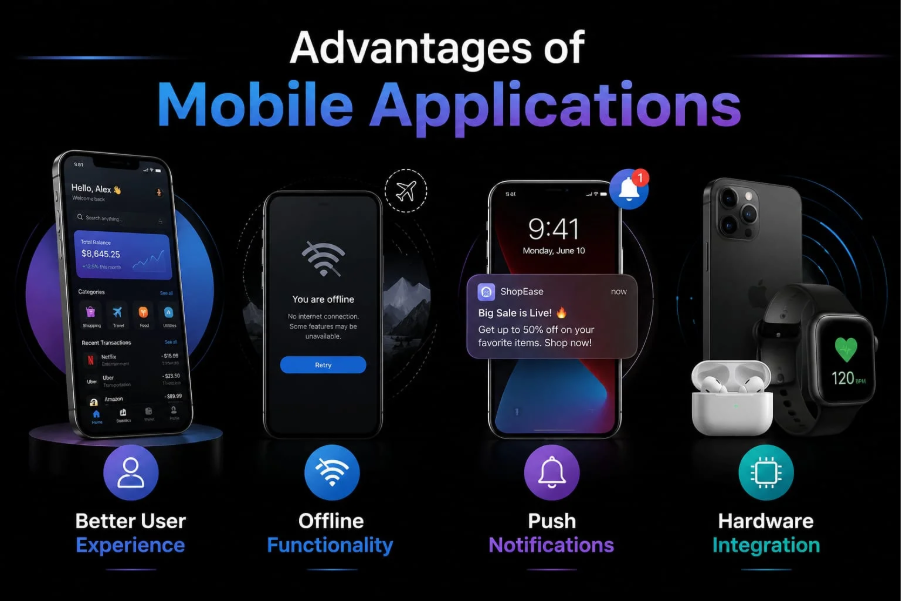
Better User Experience
Mobile Apps generally provide smoother user experience to their users because they are optimized for a specific device. Fast navigation, responsive animation and touch-friendly interface have increased user satisfaction manifold.
As a result, it is possible to achieve better performance from these applications.
Especially
- Gaming apps
- Banking apps
- Video editing apps
- Fitness apps
These types of platforms have greatly improved the experience of using mobile apps.
Offline Functionality
One of the most useful features of mobile apps compared to Web App vs Mobile App is Offline Functionality. That is, even if there is no internet connection, most of the important features of the application can be used. Such as writing offline notes, listening to songs, watching videos or accessing some important data offline.
These features help users a lot in emergency situations, places with weak network or while traveling. That is why most users find mobile applications more convenient for regular use.
Let’s take as an example,
- Spotify offers offline song playback
- Google offers offline maps support
It allows you to use some features in addition to the internet, which allows you to use these applications even in emergency situations and take advantage of them.
Push Notifications
The Push Notification feature of mobile applications provides many benefits to users. As a result, users can always stay connected with updates. Starting from new messages or new news, important information can be seen on the phone screen.
As a result, users can respond to information quickly and can be most connected to the mobile application. It can be extremely useful for business purposes as well. The main reason for this is that new service information can be easily delivered to customers through notifications.
Its special advantages are
- Increases user engagement
- Improves retention
- Makes marketing campaigns effective
Social media and e-commerce apps use this feature extensively, reaping huge financial benefits.
Hardware Integration
Compared to Web App vs Mobile App, the Hardware Integration feature of mobile apps is much stronger. As a result, one can easily manage the hardware of the mobile phone such as camera, microphone and fingerprint sensors with mobile applications.
In addition, many applications provide special features to be used offline in addition to the internet. Through which we can enjoy the special features of the application even offline. So, from people’s daily work to using media, mobile applications provide maximum benefits to users.
For Example,
- Food delivery apps use location tracking
- Banking apps use fingerprint authentication
- Social apps use camera integration
Disadvantages of Web Applications
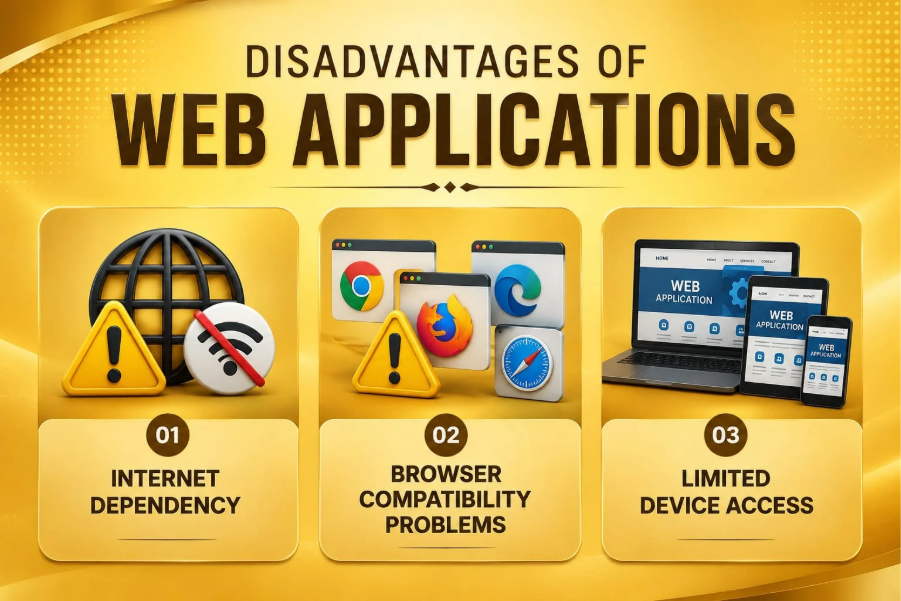
Internet Dependency
Web applications require a continuous internet connection to use. Even a small amount of network interruption or a slow network connection can cause problems with loading web applications.
This limitation creates special problems for people in developing countries. Mobile applications are used more in developing countries to solve these problems.
Browser Compatibility Problems
Web App vs Mobile App A common problem with web apps is Browser Compatibility. Applications do not work the same way in all browsers.
Sometimes, even though all the features work properly in Google Chrome, there are various problems in using important features in other browsers. As a result, the user experience becomes much worse and developers have to optimize the applications separately for different browsers.
The problems that result from this are,
- UI inconsistency
- Feature limitation
- Testing complexity
Limited Device Access
Even if the Web App can access the camera or GPS, it cannot do full hardware integration properly.
Advanced gaming or AR features provide limited performance in the Web App. Which creates the biggest drawback.
Disadvantages of Mobile Applications
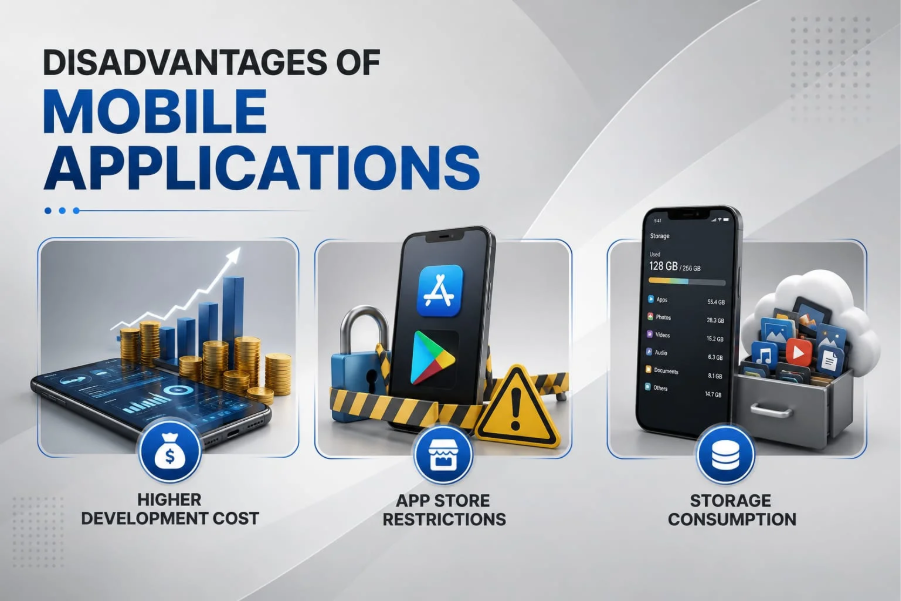
Higher Development Cost
Mobile applications are generally more expensive to develop than web applications. The main reason for this is that new versions of the applications have to be developed for different operating systems.
In addition, there is an additional cost to maintain an application, from designing it to updating it. This additional development cost becomes a big problem for new startup companies.
The main reason for this is,
- Separate Android/iOS development
- App testing complexity
- Store optimization
- Continuous maintenance
App Store Restrictions
App Store Restrictions become a big problem when using mobile apps compared to Web App vs Mobile App. The main reason for this is that although it is easy to create applications for mobile phones, there are numerous rules to follow to publish them. In many cases, the application is even rejected outright.
These problems are often seen,
- Approval is delayed
- App is rejected
- Revenue sharing has to be paid
This can create a big challenge for the developer.
Storage Consumption
Many mobile apps use a lot of storage. Installing many apps quickly fills up the phone’s storage, making the device slow and leaving no room for new files. This forces users to delete unnecessary apps. These consume both battery and storage.
Performance Comparison in Web App vs Mobile App
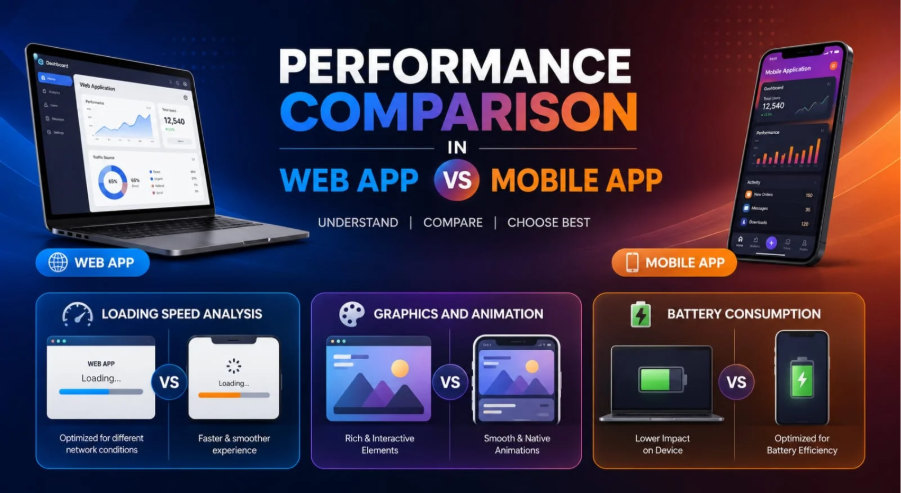
Loading Speed Analysis
Mobile apps are usually installed on the device and can work faster using data, so the loading speed is much better. Web apps depend heavily on the internet, so users may experience slower speeds if the connection is unstable. Therefore, mobile apps are slightly ahead in performance.
Performance Bulletin
- Native apps generally load faster
- Web apps depend on internet quality
- Cached mobile apps improve response time
- Heavy graphics work better in mobile environments
Graphics and Animation
Mobile apps are much ahead of web applications in terms of high-performance graphics and animation. The gaming industry is largely dependent on native mobile experiences because browser limitations can slow down complex rendering.
Battery Consumption
Some poorly optimized mobile applications can significantly reduce the battery life of a smartphone. On the other hand, web browser-based web applications often use excessive amounts of RAM. This means that the best optimization is most important here to maintain good battery health.
Security and Privacy Comparison
Security Features in Web Apps
- Modern Web Apps typically use HTTPS encryption to ensure the security of their users’ data.
- Cloud security and centralized update systems allow for rapid application of many security patches.
- According to trusted sources, HTTPS encrypted connections greatly improve data security.
Security Features in Mobile Apps
- Mobile apps typically use device-level security such as PIN, Fingerprint, or Face Unlock, which makes access more secure.
- Many apps use End-to-End Encryption, which keeps data secure during data transfer.
- Regular security updates and patches are provided to protect users from new threats.
- App permission controls allow users to control which data apps can access.
- Some apps have two-factor authentication (2FA), which makes logins even more secure.
Common Security Risks
- The biggest risk in both Web App vs Mobile App is data leakage, where the user’s personal information can be exposed incorrectly.
- Weak authentication can easily allow hackers to gain unauthorized access.
- Using outdated software or apps increases security vulnerabilities.
- There is a risk of data interception when using public Wi-Fi.
- Malware or phishing attacks pose a major threat to users on both platforms.
Development Technologies Used
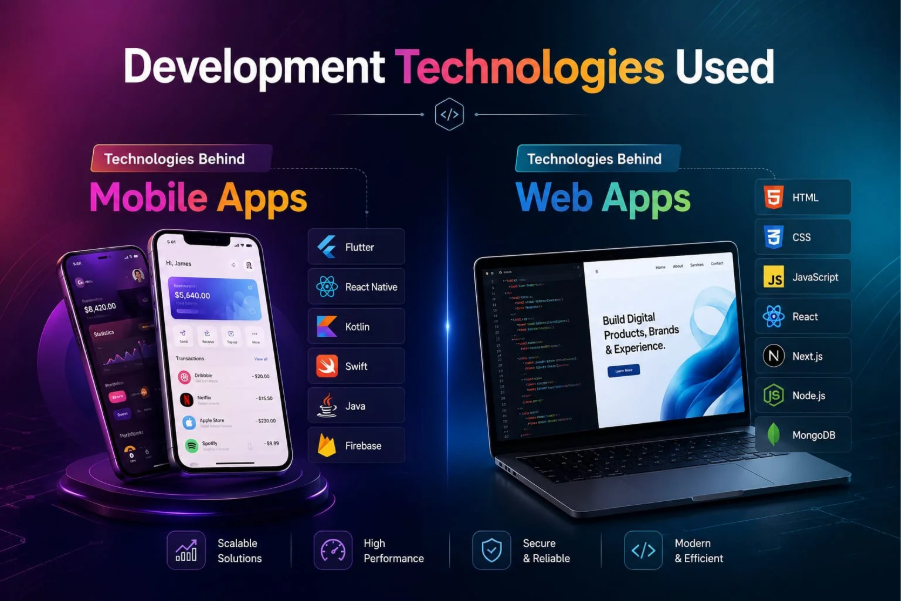
Technologies Behind Web Apps
Popular technologies used in Web App development are:
- HTML
- CSS
- JavaScript
- React
- Angular
- Vue
Modern Web Apps are created through cloud hosting and API integration, which are playing a very effective role in people’s daily lives.
Technologies Behind Mobile Apps
Below is a table of the technologies that mobile applications are typically built on.
| Platform | Technology |
| Android | Kotlin, Java |
| iOS | Swift |
| Cross-platform | Flutter, React Native |
Currently, Flutter and React Native are rapidly gaining popularity because they support a single codebase.
Progressive Web Apps (PWA)
Progressive Web Apps (PWA) are web apps that work like mobile apps. They are fast, lightweight, and have some features that can be used offline, improving the user experience.
Although PWA is browser-based,
- Can provide offline support
- Supports push notifications
- Provides an app-like experience
Google is heavily supporting PWA technology because it is fast, lightweight, and cross-platform friendly.
Choosing Based on Features
Choose Mobile App if:
- Offline support required
- Push notification is important
- Advanced hardware integration required
Choose Web App if:
- SEO is a priority
- Cross-platform support is required
- Fast deployment is required
Final Comparison Chart
| Criteria | Web App | Mobile App |
| Accessibility | Excellent | Moderate |
| Offline Support | Limited | Strong |
| SEO Advantage | High | Low |
| Development Cost | Lower | Higher |
| Device Integration | Limited | Advanced |
| Performance | Moderate | Excellent |
| Installation Needed | No | Yes |
| Push Notifications | Limited | Advanced |
Conclusion
When discussing Web App vs Mobile App, it is clearly understood that both types of platforms have different strengths and limitations. No one application can always be the best, but people have to determine the right solution according to the needs of users, business goals and budget.
If a business has to start very quickly, then there is not so much budget in the beginning. Hey, due to lack of budget, the need to reach a large audience at a low cost increases immensely. If you want to enjoy all these features at a low cost, then web applications can be a great solution.
On the other hand, if you want the best performance, connect to every piece of hardware and use the applications or want some features offline, then using mobile applications can be a good option in this case.
Currently, progressive web applications, AI integration and cloud computing or cloud technology have reduced the distance between these two platforms a lot.