Learn How To Use Apps easily, use apps smartly, save time, stay safe, and make your smartphone more powerful for everyday tasks.

Do you use a smartphone but can’t use all the apps properly?
In the current digital age, mobile apps have become an essential part of our daily lives. From communication, education, entertainment to banking and business—everything has now become easier through various apps.
Just installing an app does not get its full benefits. Understanding its features, using the right settings, and managing it safely is very important. If used correctly, even a simple app can increase your work speed several times. On the other hand, problems such as device slowdown, data loss, or privacy risks can also arise due to incorrect use.
In this guide, we will discuss step-by-step simple techniques for using apps, necessary tips, and important aspects of security. It will serve as an effective and professional guide for everyone, from new users to experienced users.
What Are Mobile Apps?
Mobile apps are software programs that are used on smartphones or tablets. They can work on the Internet or offline and make communication, entertainment, education, and everyday tasks easier and faster.
Definition of Mobile Apps?
Before understanding How To Use Apps, it is important to know the definition of Mobile Apps. Mobile apps are software that are designed to perform specific tasks on a smartphone or tablet. They can work both online and offline and make the user’s daily work easier, faster and more efficient.
How Do Apps Work?
Apps are basically software programs that are designed to perform a specific task and are run by the operating system. When you open an app, it starts working by communicating with the hardware and software of the device.
Many apps exchange data with servers over the internet, while some apps can also work offline. The app receives instructions from user input, such as tapping or typing, and displays results accordingly.
This entire process is done quickly and automatically, making the user experience simple and efficient.
Native vs Web Apps
Below is a simple and professional chart of Native vs Web Apps:
| Subject | Native Apps | Web Apps |
| Definition | Apps made for specific operating systems | Web-based app run through a browser |
| Installation | Must be installed on device | Can be used in the browser without installation |
| Performance | Fast and smooth performance | Can be relatively slow |
| Internet Dependency | Some features work offline | Usually requires internet |
| Development | Need to be created for different platforms | Create once and use on all platforms |
| Access to Device Features | Full access to camera, GPS, etc | Limited access |
| Examples | Facebook App, WhatsApp | Facebook Web, Gmail Web |
How do Apps help us In Our Daily Lives?
If we know How To Use Apps properly, our daily life becomes much easier and smarter. Through mobile apps, we can easily communicate, take online classes, complete banking tasks and enjoy entertainment. In addition, various tasks including shopping, ordering food, booking tickets can be done from home.
Apps save us time, speed up work and make life more comfortable. Apps play an important role in education and work, as they provide information quickly and help in decision-making. If used properly, a smartphone can become our most effective assistant, making daily work easier, faster and more efficient.
Types of Apps You Should Know
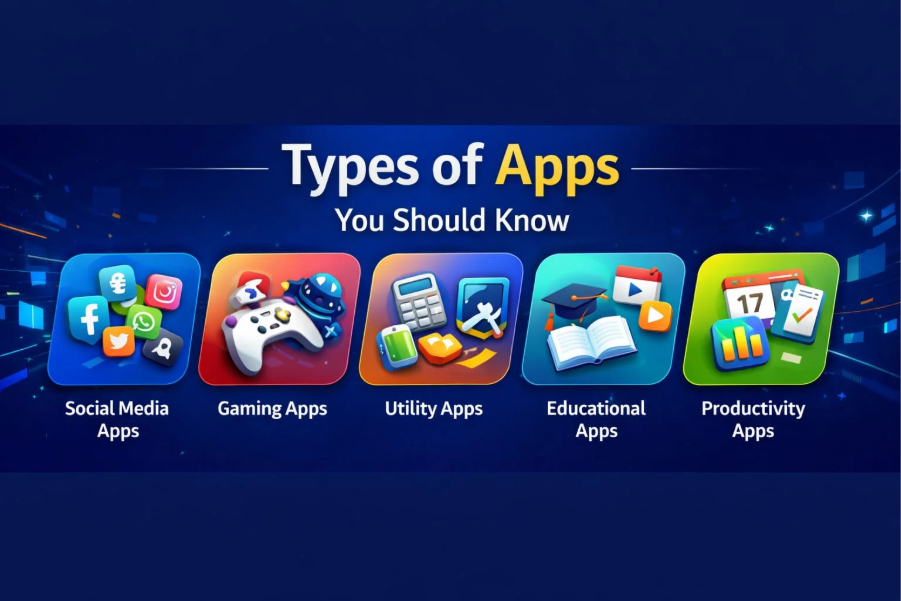
Understanding Types of Apps You Should Know is very important, because different types of apps are used for different purposes. Social media, gaming, utility, educational and productivity apps provide different benefits in daily life. Using them, communication, education, entertainment and work can be made easier and faster.
Social Media Apps
How To Use Apps It is very important to know about Social Media Apps to understand them well. Communication has become easier and more convenient thanks to social media apps like Facebook, Instagram, WhatsApp, and TikTok. Through them, we can quickly share messages, pictures, videos with friends and family and stay connected with people from anywhere in the world.
In addition, news, trends and various information are available very quickly. Social media apps are important not only for entertainment but also for education and business purposes. However, it is important to use them correctly, otherwise there may be problems like wasting time or privacy risks. So using them consciously is the best way.
Gaming Apps
Gaming Apps are apps that allow users to play various types of games on their mobile or tablet. Using these, users can enjoy entertainment and make their free time enjoyable. Puzzle, action, adventure, sports and strategy—games of various categories are available.
Many gaming apps also offer online multiplayer facilities, where players can play with players from around the world. Some games are also educational, which helps in increasing thinking and problem-solving skills. However, excessive gaming can waste time, so it should be limited and used properly. If used in the right way, gaming apps not only provide entertainment but also support mental development.
Utility Apps
If you know How To Use Apps properly, Utility Apps make using our smartphones easier and more efficient. Utility apps are basically apps that help make daily tasks faster and easier. They can be used to perform tasks like file management, cleaning, security, note taking, and battery optimization.
These apps improve device performance and save user time. Below are some important features:
- Junk file cleaning
- Optimize battery usage
- Simplify file management
- Security and privacy protection
- Keep notes and reminders
Educational Apps
Educational Apps are apps that make the learning process of students easier, faster and more interactive. These apps make it easy to access online classes, video tutorials, quizzes and various courses. Studying becomes flexible as students can learn anytime and anywhere, reducing both time and expenses. They also help in explaining complex topics in a simple way, which increases the interest in learning.
Important Features:
- Online classes and video lessons
- Interactive quizzes and tests
- Study materials and notes access
- Progress tracking system
- Anytime learning facility
Productivity Apps
If you know How To Use Apps well, Productivity Apps can greatly enhance our work efficiency. These types of apps are mainly used for time management, work planning, and daily task management. Through them, we can create to-do lists, keep meeting schedules, and save important notes.
Everything from office work to personal work can be managed easily. Using Productivity apps increases the speed of work and reduces unnecessary time wasted. When used properly, it brings discipline and efficiency to personal and professional life, which is very important for success.
How To Download Apps on Android?
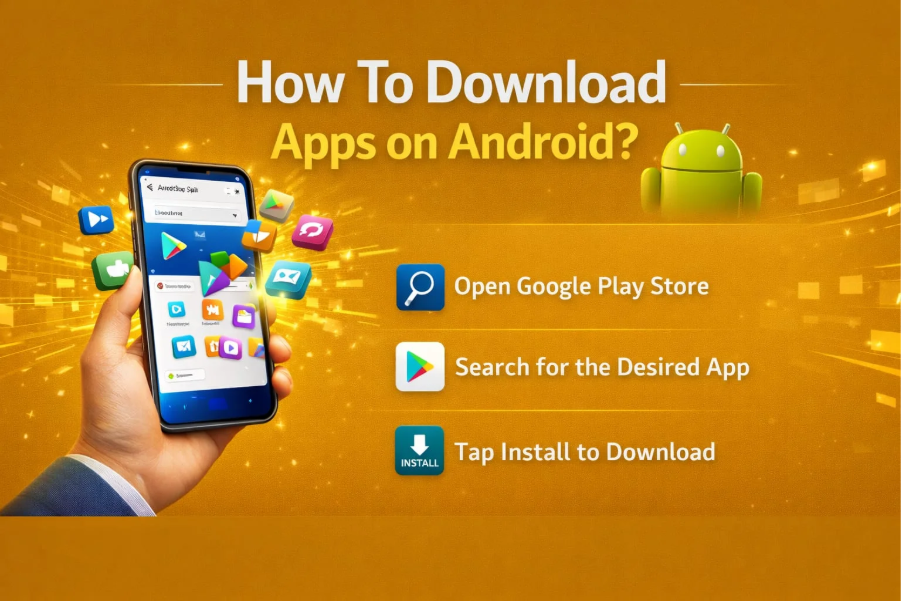
Knowing How To Download Apps on Android is very important, because through it we can easily install the necessary apps. Downloading correctly ensures safe and fast use and increases the benefits of the smartphone.
Open Google Play Store
Opening the Google Play Store is the first step in downloading apps on your Android device. It is an official app store, where millions of safe and verified apps are available. To open the Play Store, first tap on the Google Play Store icon from your smartphone’s home screen or app drawer.
When you open the app, you will see a search bar, categories, and various recommended apps. Here, you can easily find various types of apps including games, education, entertainment, and productivity. Using the Google Play Store allows you to download apps safely and keeps your device protected from viruses or malware, which is very important for the user.
Check Rating & Review
How To Use Apps Checking Rating & Review is a very important step to understand properly. Before downloading an app, you should check its rating and user reviews, as it gives a clear idea about the quality and reliability of the app.
Generally, apps with 4+ star rating are considered better and safer. Reading reviews tells you how the app works, whether there are any problems or not and how satisfied the users are.
Sometimes there can be fake or malicious apps, so checking Rating & Review is an important way to keep your device safe. It helps in selecting the right app and reduces the risk.
Press The Install Button
Pressing the Install button is the most important step in downloading and installing an app on an Android device. After finding the app on the Google Play Store or any other trusted source, the user just has to tap the Install button. The app then automatically starts downloading and is installed on the device within a few moments.
This process is usually quick and easy, but it is important to have a good internet connection. After completing installation, the app becomes available on the home screen or app drawer for direct access. Using the Install button correctly can make it possible to enjoy new apps safely and without any hassle.
How To Install Apps Safely
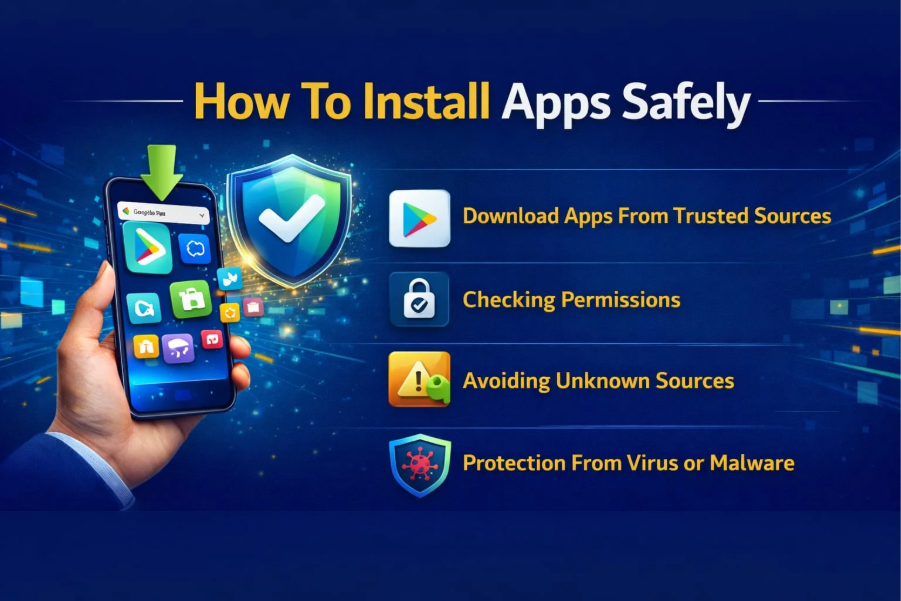
To know How To Use Apps properly, it is very important to understand How To Install Apps Safely. You must download apps from the Google Play Store or other reliable sources to stay safe. You should check the ratings, reviews, and permissions carefully before installing. Avoiding unknown or suspicious apps keeps your device safe from viruses and data loss.
Download Apps From Trusted Sources
Downloading apps from trusted sources is very important, as it keeps your device safe and ensures data security. Official platforms like Google Play Store or Apple App Store are called trusted sources, where apps are published after verification.
Downloading apps from these sources has a much lower risk of viruses, malware, or hacking.
On the other hand, downloading apps from unknown and untrusted websites can damage your device and there is a possibility of personal information being stolen. Therefore, using safe and trusted sources is always the best and smartest choice.
Checking Permissions
How To Use Apps It is very important to check permissions to understand properly. Before installing an app, you should check what permissions it is requesting, such as camera, location or contacts. Giving unnecessary permissions can create privacy risks. Therefore, it is important to always check permissions consciously.
Avoiding Unknown Sources
Avoiding unknown sources is a very important security practice, because downloading apps from these sources can introduce viruses or malware to your device. Many times these apps contain malicious code that can steal personal information. As a result, you should download apps only from the Google Play Store or trusted sources. Avoiding installing apps from unknown sources is the best decision to stay safe.
Protection From Virus or Malware
It is very important to be protected from viruses or malware, as they can corrupt device data and steal personal information. To remain secure, download apps only from reliable sources and stay away from suspicious links. Regular use of antivirus and keeping your device updated greatly reduces the risk of virus attacks, which keeps your smartphone safe.
How To Use Apps for Beginners
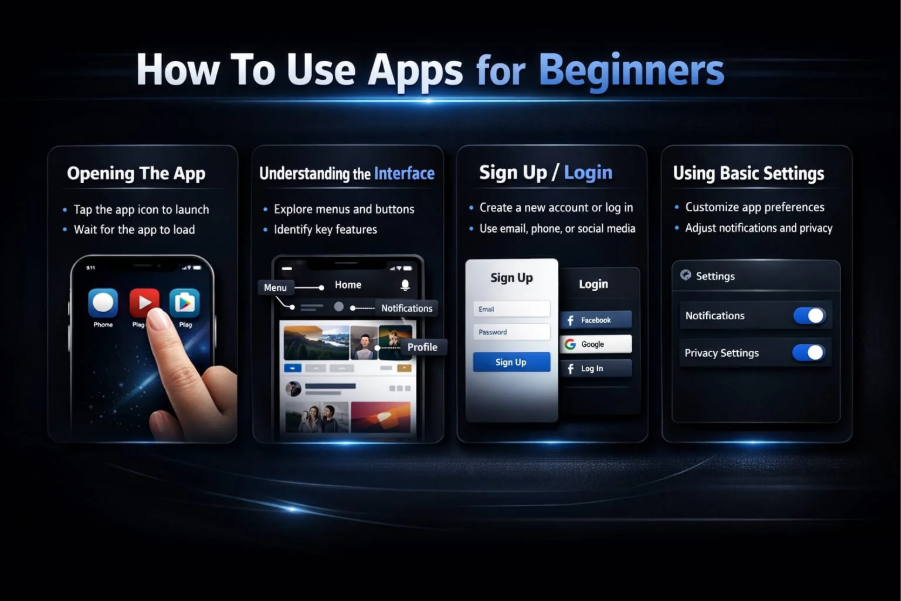
Opening The App
The first step in learning How To Use Apps properly is to open the App. A beginner user first has to find the required app from the home screen or app drawer of his smartphone. Then, by tapping on the app icon, it opens and can be used.
Many apps may ask for some setup or permissions when opening for the first time, which should be understood and allowed well. After opening the app, the user can easily explore its features and use them as needed. Regular use creates a good idea about the interface and features of the app, which helps in increasing efficiency.
Understanding the Interface
Understanding the interface is an important step for new users. After opening the app, the first thing to do is to observe its user interface carefully. It makes it easy to know where the buttons, menus, icons, and various features are. The design of each app may be different, so it is necessary to explore it gradually.
Understanding the interface makes it much easier to use the app and it is possible to do the necessary tasks quickly. This is very important for new users, because using the app can seem complicated if you do not understand the interface properly. Regular use increases your skills about the interface and also increases your confidence.
Sign up / Login
Signing up / Login is an important step in using any app. When opening an app for the first time, the user is usually asked to create an account, which is called Sign up. Here, users need to register by providing a name, email address, or phone number. Afterwards, the details can be applied to log into the account. By logging in, the user can access his personal data, settings and features.
Many apps can also be easily logged in with a social media or Google account. By signing up and logging in correctly, it is possible to use all the features of the app safely and the user experience becomes more personal and easy.
Using Basic Settings
Using basic settings is an important step in customizing the app to your needs. It allows you to change the language, turn notifications on or off, set themes, and control privacy options.
Using settings correctly makes the app easier and more convenient. New users should first understand the basic settings well, so that the experience of using the app is better and less hassle.
Navigation tips
Navigation tips are very important for learning How To Use Apps properly. Using the various menus, buttons, and icons within an app makes it easy to get from one place to another. Scrolling slowly, using the back button, and understanding menu options are key parts of good navigation. This makes using an app easier and faster.
Understanding App Permissions
Understanding App Permissions is very important, because it determines which parts of your device an app will have access to. Such as the camera, location or contacts. By not granting unnecessary permissions, privacy is protected and the device is secure. Therefore, you should always consciously check permissions.
What Are Permissions?
Permissions are a system through which an app is allowed to access certain parts of a user’s device. For instance, permissions like camera use, microphone access, location tracking, contacts, or storage. Some permissions are essential for app performance, yet unnecessary permissions can sometimes pose security risks. Users should carefully consider each permission before making a decision. This maintains the privacy and security of the device and protects personal information.
Why is it Necessary?
Permissions are needed to allow an app to use device features that are necessary for it to function properly. For example, taking pictures with the camera, recording voice with the microphone, or giving directions using location.
Without these permissions, many apps cannot perform their basic functions. However, not all permissions are safe to grant, so users should grant permissions wisely. This maintains the functionality of the app and protects privacy.
Safe Usage Tips
It is very important to follow Safe usage tips if you know How To Use Apps properly. While using apps, you should always download from trusted sources, avoid unnecessary permissions and keep them updated regularly. Staying away from unfamiliar links and creating strong passwords also helps keep your data safe. By following these rules, the device is protected from viruses and data loss and the app can be used safely.
How To Manage Apps Efficiently
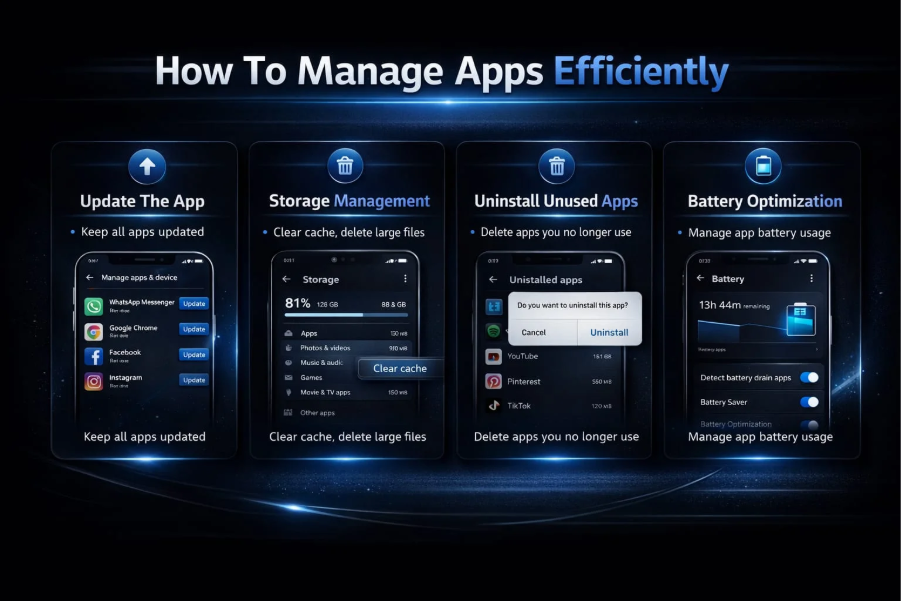
Update The App
How To Manage Apps Efficiently Updating the app is a very important step to understand. Regularly updating the app provides new features, fixes bugs and strengthens security.
Using an older version can sometimes cause the app to slow down or not work properly. Therefore, you should check for updates from the Google Play Store on a timely basis and install them. This keeps the app performing well and also makes the user experience smoother and safer.
Storage Management
How To Use Apps If you know this topic properly, storage management becomes a very important issue. When a smartphone has too many apps and files, the device becomes slow and space is reduced. Therefore, it is important to delete unnecessary apps, clear cache, and manage large files.
This improves the phone’s performance and makes it easier to install new apps. Regular storage management makes the device work faster and more efficiently.
Uninstall Unused Apps
Uninstalling unused apps is a very important task to maintain the performance of the smartphone. Many times we install many apps that are not used later.
These apps occupy the device’s storage and slow down the phone. Therefore, you should regularly identify and delete unnecessary apps. This frees up space, reduces battery consumption and makes the device work faster and smoother.
Battery Optimization
Battery optimization is an important process to extend the battery life of a smartphone. Through this, unnecessary apps running in the background are closed, brightness is controlled, and power-saving mode is used.
This prevents the battery from draining quickly and the device can be used for a long time. Regular battery optimization also improves the performance of the phone. This is very beneficial for users, especially those who use their mobile phones a lot throughout the day.
Common Mistakes While Using Apps
Without proper knowledge of How To Use Apps, users often make some common mistakes. These mistakes can reduce device performance and even create security risks.
Some Important Mistakes Are Mentioned Below:
- Downloading apps from unknown sources
- Allowing without reading permissions
- Not updating apps regularly
- Not deleting unnecessary apps
- Using weak passwords
- Clicking on suspicious links
- Not managing cache and storage
Best Tips To Use Apps Like a Pro
Using Shortcuts
Using shortcuts is an effective way to use your smartphone, saving you time and helping you get things done faster. Many apps have shortcuts to quickly access specific features, such as long-pressing an app icon on the home screen or using Quick Settings.
This eliminates the need to repeatedly enter menus. Proper use of shortcuts makes managing apps simpler, quicker, and more convenient, improving the overall user experience.
Multi-Tasking Features
Multi-tasking features are a feature that allows you to run multiple apps or tasks at the same time. Modern smartphones allow you to easily multitask using split screen, floating window, and recent apps options.
This saves time and increases work efficiency. Users can watch videos on one hand, send messages or take notes on the other. Proper use of multitasking allows you to finish your everyday tasks more quickly, smoothly, and efficiently.
Using Offline Mode
How To Use Apps is very important to understand how to use Offline mode. This feature allows you to use some apps without the internet, such as music, videos or notes apps. It saves data and helps you continue working even when there is no internet, which is very convenient for the user.
Benefits of Using Apps in Daily Life
- Communication becomes faster and easier (calls, messages, video chat)
- It takes much less time and effort
- Online education and learning skills become easier
- Banking and payment work can be done from home
- Entertainment (games, movies, music) is easily available
- Daily tasks (shopping, food order, booking) become easier
- Information and news are available quickly
- Productivity and work efficiency increase
- Work can be done from anywhere, anytime
- Life becomes smarter, easier and more organized
Safety & Privacy Tips
- Use a strong password
- Use two-factor authentication
- Data privacy awareness
- Regular app review
Conclusion
Knowing How To Use Apps properly is a very important skill in today’s modern digital era, which makes our lives easier, faster and smarter. In this entire guide, we have learned step by step how to download apps, install them safely and use them properly. You don’t get the full benefits of an app just by installing it, but you need to understand its features, settings and usage method well.
Nowadays, communication, education, entertainment, banking, shopping and office work – everything can be done through mobile apps. As a result, time is saved and work efficiency increases a lot. However, at the same time, maintaining security and awareness is also very important. Downloading apps from trusted sources, checking permissions and keeping them updated regularly keeps the device safe. In addition, habits such as storage management, battery optimization and uninstalling unnecessary apps improve the performance of the phone.
More importantly, developing proper usage habits. For example, using shortcuts, utilizing multitasking features and taking advantage of offline mode make our work easier. At the same time, managing privacy settings properly and using strong passwords ensure security.
Finally, using apps is not just about learning technology, but also about building a smart lifestyle. Those who gradually learn and use these rules and techniques will be able to use technology more effectively.