“App comparison” is the ultimate technique to identify which digital tools perfectly match your specific workflow or daily needs.
Have you ever wondered which app out of the thousands of apps on your phone can speed up your work?
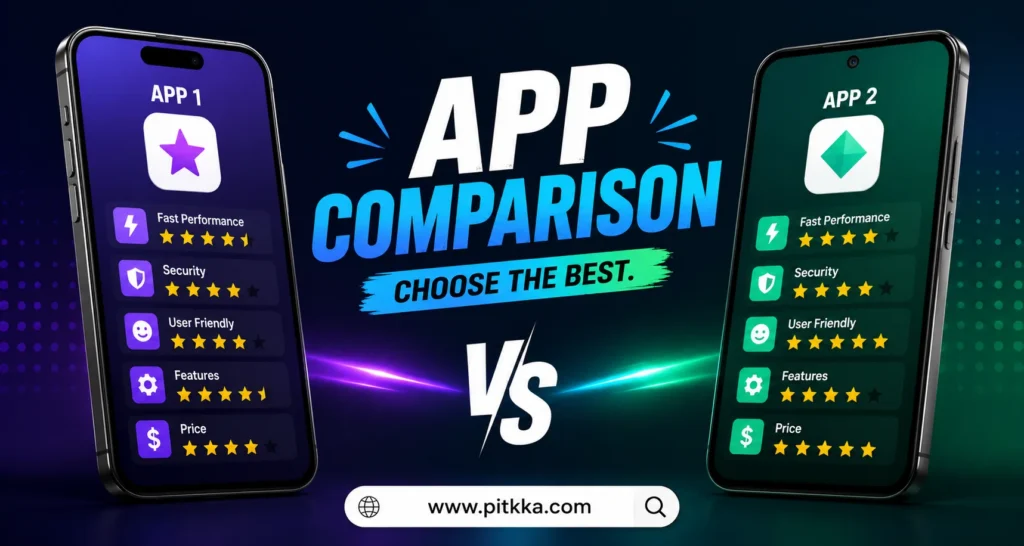
Choosing the right app has become very important in our daily lives. In this era of technology, there are many types of apps available in the market for the same task. However, the performance of all apps is not the same. Comparing the features inside different apps is very useful to make the right decision.
Some great comparisons between the best productivity apps
In today’s busy time, many of us use different tools to organize our work, such as “App comparison“ tools. If you are looking for the best platform for your studies or office work, this comparison will help you. Especially in the case of note-taking and project management, the names of two big apps always come first. It is necessary to know which of these two will suit your work the most.
The main difference between Notion vs Trello
Many of us use Notion or Trello for the convenience of work. Notion is basically an all-in-one workspace where you can keep notes and create a database at the same time. On the other hand, Trello prefers to organize project tasks in front of your eyes only through Kanban boards. If you like a lot of customization, Notion may be your first choice.
Which app will speed up your work?
Many choose Trello because of its simple interface because it is very easy to use. But if you have a large team and need to store detailed information, Notion will give you more benefits. You will have to make this decision based on the depth of work and the amount of information.
Which is best for data management?
- Notion: It can organize all the information of large projects in one place.
- Trello: It is the best solution for tracking small tasks or daily tasks.
Entertainment and editing apps are the best
We spend a large part of our day on the smartphone screen, creating entertainment and content. Be it video editing or creating simple social media reels—without the right app, the work is not done at all. Nowadays, mobile editing apps have improved so much that it is possible to do professional-quality work without a computer. Let’s see which apps reign supreme in this category.
A fierce battle between Capcut and InShot
When it comes to video editing, these two apps really come to mind. Capcut is especially popular among the youth for its trending effects and excellent AI features. On the other hand, Inshot is a very simple and perfect application for quickly editing any video.
Which is the best editing app for professional work?
If you want to focus more on creating short videos or reels, Capcut’s AI tracking will impress you. And if you want to do simple cuts and color grading for YouTube, Inshot’s interface will save you time.
Comparison of audio and visual effects
Capcut has a much better built-in music library and collection of trending sounds. On the other hand, Inshot allows you to easily add your own audio files and voice overs.
A handy comparison list of the best apps of 2026
To make the process of choosing an app easier, here is a special list. Through this, you will understand at a glance which app should be used for which task.
| App Name | Main Category | Biggest Benefits | Best for Who |
| Notion | Productivity | All-in-one customized notes and database | Students & Professionals |
| CapCut | Video Editing | Advanced AI Effects and Ready Templates | Content Creator |
| ChatGPT | Artificial Intelligence | Quick Information Search and Content Ideas | Writer and Researcher |
| InShot | Video Editing | Simple interface and fast editing features | General users |
Some real differences between mobile banking apps
When it comes to money transactions, mobile banking apps come to our mind first. There are several excellent services in the market now that have made our lives much easier.
However, the cash out charges or money sending rules of all apps are not the same. If you want to transact your hard-earned money safely and at low cost, then it is very important for you to know the real nature of these two big apps.
Main advantages of bKash vs. Nagad
App comparison
In our country, bKash and Nagad are the two apps used by the most people. Since the bKash app has been in the market for a long time, its network or agent points can be found very easily everywhere. On the other hand, since the Nagad app works under the government postal department, its cash out charges are much lower than bKash.
If you want a lot of offers and the convenience of withdrawing money everywhere, bKash is good for you. And if you want to transact more money at a lower cost, Nagad will give you more profit.
Which app has the strongest security system?
The issue of security in terms of money should be considered first. The bKash app has a very strict security system of using OTP and PIN number along with face lock or fingerprint for each login. The Nagad app is also quite good in terms of security, but the live tracking and customer care support of bKash works much faster.
Which is the best for paying daily utility bills?
BKash: Almost all types of government fees, starting from electricity, gas, water bills, can be paid at home with one click.
Nagash: In many cases, additional discounts are available on the Nagad app for paying fees of certain educational institutions or government services.
The great battle of online shopping and grocery apps
These days, many of us don’t have time to go to the market with bags in hand and shop. From clothes to daily household necessities, everything now comes to our homes through apps. But knowing which app delivers good things on time and whose service is the best will save you both money and time.
The main working nature of Daraz and Chaldal apps
In the world of online shopping, Daraz is a huge marketplace where everything from clothes to electronics to household items is available.
However, Daraz basically takes some time to deliver after taking the order. On the other hand, the Chaldal app is designed only to provide quick supply of daily raw market and grocery items. If you need daily household necessities within a few hours, the Chaldal app works great.
Comparison of customer service and refund policy
Many times, when the wrong product arrives online, we worry about returning it. There is a specific rule for returning products on the Daraz app and it takes a few days to get the money back. But since the customer service of the Chaldal app is very local, if something is damaged or bad, they replace it very quickly or refund the money.
Delivery charges and discount offers
Daraz app offers huge discounts or free delivery vouchers during various festivals or campaigns. On the other hand, if you shop more than a certain amount on the Chaldal app, the delivery cost becomes completely free, which is quite affordable for the average middle-class family.
Some secrets inside social media and messaging apps
Nowadays, we all use some messaging app to stay in touch with our loved ones who are far away. Starting from chatting to talking on audio or video calls, it is now as easy as water if you have an internet connection. However, not all messaging apps can protect your personal messages or privacy equally. We should all know which app is the safest to use to protect your information.
The main difference between Imo vs WhatsApp
In our country, Imo and WhatsApp are the two most well-known apps. The Imo app provides the facility of making audio and video calls very nicely even at very low internet speeds, due to which it is very popular with the people in the villages. On the other hand, the WhatsApp app is very elegant and does not have any kind of annoying ads. If you have network problems, then using Imo may be easy, but for professional work or personal security, WhatsApp is always ahead of everyone.
Which app keeps your personal information more secure?
Many of us don’t worry much about app security, which is not right at all. Every message on WhatsApp is end-to-end encrypted, so no one except you and the person you are sending the message to can see it. But due to the large number of third-party ads on the Imo app, there is a big risk of personal data being leaked at times.
What are the advantages of sharing files and images?
WhatsApp: Any large file, work document or original quality HD image can be sent without losing any quality.
Imo: Although it can send simple images or short video clips very quickly, it is not very suitable for sending large files or professional documents.
Discover more here: Mobile Gaming Apps List
The real benefits of ride sharing and travel apps
The thought of city traffic jams makes us nervous. Ride sharing apps are now our only hope to reach the office on time or go somewhere urgently. Instead of standing on the road and waiting for the bus, a bike or car now comes to your door with one click through the app. However, if you do not choose the right app, you may often face problems due to excessive fares or driver behavior.
How is the service of Pathao and Uber apps?
When it comes to ride sharing in our country, Pathao and Uber are the two names that come to mind. Since Uber is basically an international company, their car service and customer support are much more professional and organized.
On the other hand, Pathao is our domestic app, so its bike riders are available in large numbers and its drivers are quite adept at recognizing local roads. If you are in a hurry to go somewhere very quickly, Pathao bike will work great and Uber car service is the best for a comfortable trip.
Fare determination and some differences in the offer
On rainy days or during busy office hours, the fare in ride sharing apps increases a lot, which we call peak hour charge. Due to jams in the Uber app, the fare may increase slightly even after taking the ride.
But when booking a ride on the Pathao app, the fare shown on the screen is usually the fixed amount that has to be paid at the end of the ride, which makes it very convenient for ordinary passengers to keep track of their accounts.
Before downloading any local utility software, doing an “app comparison” helps users understand the strict access permissions required by the platform
The real picture inside the online learning and skill development app
Nowadays, we no longer have to go out of the house and wait in line with the teacher to learn a new job or prepare for school. It is now possible to do the best courses from any part of the world at home using the smartphone in hand. However, there are so many applications for studying in the market now that it is very difficult to understand which one is right and which one will waste time. If you want to take your career one step further, it is very important for you to know the difference between these two big platforms.
The main difference between Ten Minute School vs Coursera
In our country, the Ten Minute School app is a very popular platform for school-college academic studies and BCS or job preparation. Since all its content is in Bengali, it is very easy for the students of our country to understand.
On the other hand, Coursera is an international app where you can do professional certificate courses from Google, IBM or major renowned universities in the world. If you want to study according to the domestic syllabus or prepare for government jobs, Ten Minute School is the best. And if you want to learn international-standard skills or freelancing work, Coursera will help you a lot.
Which app’s courses are able to get a job quickly?
To survive in the job market, you need some special skills along with formal education. Since the courses on the Coursera app are directly certified by big IT companies, they add a lot of value to your CV. The courses of Ten Minute School are also quite advanced, but they are mainly designed according to the local market or corporate office work style of our country.
Comparison of cost of education and free features
Ten Minute School: Many classes or videos are available completely free on this app and their premium course fees are within the reach of ordinary students.
Coursera: This is a premium app and most of its courses cost a good amount of dollars for certificates, but there are excellent opportunities for financial aid or scholarships for poor students.
A great battle of language learning and translation apps
Learning English or any other foreign language has become very important now to talk to people from home and abroad or to do freelancing work. Not only learning languages, but sometimes while working on the internet, we need to quickly know the meaning of various difficult words. Let’s see which applications can help us the most for this type of work.
The main difference between Duolingo and Google Translate apps
The Duolingo app is designed to learn the language of any country very easily, just like playing a game. With just 10-15 minutes a day, you can easily master English, French or Spanish through this app. On the other hand, Google Translate is not a language learning app, it is an instant translator. It is number one in the world for converting difficult languages or sentences of any country into your own language within a second.
Which app will be more useful in your daily work?
If you are preparing to go abroad or want to learn a new language from scratch, Duolingo’s excellent quizzes will fascinate you. And if you don’t understand the meaning of an English line while chatting or want to quickly translate a buyer’s message into Bengali, Google Translate will save you time.
Benefits of voice and image tracking features
Using the camera feature of the Google Translate app, if you hold your phone over any signboard or book page, it will be instantly translated into Bengali. Although the Duolingo app does not have this feature, it has an excellent system for correcting pronunciation through listening and speaking tests.
Conclusion
The best app has to be selected based on the type of work and needs of our daily life. Some apps may be the best in terms of design, while others may be much faster in terms of work. Therefore, it would be wise to take a good look at the features and user opinions of any application before installing it on the phone. The right application can save your valuable time as well as increase the quality of your work many times.
We have tried to discuss the details of the necessary applications of different categories in a very simple way. We realized that although there are thousands of apps in the market, not all apps may be equally useful for everyone’s work. Some may want to send money at a low cost, while others may want more security. The correct use of technology will be possible only when we understand our own real needs and accordingly give space to the right application on the phone. Just as a good app will keep your phone’s memory good, it will also make your daily life much easier and more beautiful.
Some common questions and answers (FAQ)
1. Why is Notion so popular for productivity?
The Notion app is the first choice of everyone because it works as a notebook, project manager, and database at the same time.
2. Free or paid—which type of app is better to use?
The free versions are sufficient for basic tasks, but the paid features offer much more benefits for professional work.
3. Is Capcut completely free for video editing?
Most of the main features and effects of Capcut are completely free, but some special AI tools require a premium subscription.
4. How do I ensure data security while using the app?
Before downloading the app, you should check the ‘Data Safety’ section of the Google Play Store carefully.
5. Is there any problem if you keep many apps on the phone at the same time?
Yes, additional background apps can put a lot of pressure on the phone’s RAM and battery.
6. Which is the most trending AI app of 2026?
Currently, ChatGPT and Google Gemini are trending the most due to their advanced features.
7. Is the InShot app easy for beginners?
Yes, InShot’s interface is very simple, so any new user can learn video editing very quickly.
8. Which productivity app is good for working offline?
Some features of Notion and Google Keep apps can be used very well offline as well.
9. Which is the safest application for cloud storage?
Google Drive and Microsoft OneDrive are the most trusted worldwide for data backup and security.
10. What is the main way to identify a good app?
The effectiveness of the app can be easily understood by looking at its rating, reviews, and history of regular updates.