Computer tips are essential for everyone who wants to improve their daily productivity and maintain their PC’s overall performance effectively.
Computers have now become a big part of our daily lives. Those of us who work on computers regularly know that sometimes a lot of time is wasted due to some small problems. Again, if we know some tricks, those tasks can be done much faster. I will talk to you about these topics just like simple people in the village give each other wisdom.
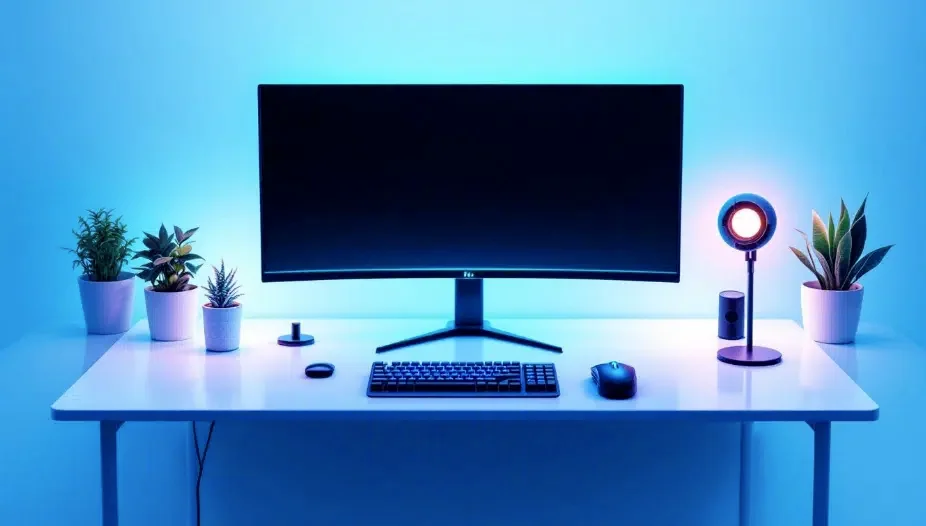
This article will be very useful for those of you who use PCs or laptops every day. Here I will give all the information that is brand new and if you use it, your computer will run like a brand new one.
So let’s start the main discussion and see how we can make our beloved computer more efficient.
Easy ways to speed up your computer that will save you time
Do you feel like your patience has been tested lately while running your computer?
Delays in turning on your PC or spinning wheels while opening a folder are really annoying. But there is nothing to worry about because there are some simple tricks to make your PC super fast that will save you valuable time. First, check your startup apps. Many unnecessary software starts automatically when the computer starts, which occupies memory. If you close them, you will see that the PC starts working much faster than before.
Also, using an SSD instead of a hard drive is the smartest decision these days. This increases the speed of Windows loading and running heavy software by several times. Don’t you sometimes feel that the temporary files accumulated inside the drive are the biggest enemy of your PC?
Regularly cleaning this junk reduces the pressure on the processor. Uninstall unnecessary software and optimize the drive regularly.
Will you refresh your PC today and give it a new look?
Rules for closing startup apps
When we start the computer, many apps start automatically in the background. They occupy the computer’s RAM, due to which the PC takes a long time to start. If you close these unnecessary apps from the task manager, you will see that the computer starts much faster. This small task will reduce your annoyance a lot.
Keeping temporary files clean

While working on the computer, a lot of temporary files are created which occupy the drive space. It is very important to delete them regularly. These files can be found by going to the run command and typing ‘%temp%‘ and searching, and deleting them reduces a lot of pressure on the computer.
Importance of keeping C-drive empty

There are many people who keep many files on the desktop or store all downloaded files in C-drive. Remember that the more empty the C-drive is, the smoother your operating system will work. So try to move heavy files to another drive. This will not put an extra load on the computer.
Some secret tips to stay safe on the internet that will protect your privacy
Have you ever felt like someone is watching you all the time on the internet?
Nowadays, a large part of everything we do all day long is online. So being safe on the internet is no longer a luxury but a survival strategy. First, take a look at your password. Are you still using a simple name or date of birth as a password? This is the easiest way for hackers. Always use strong passwords and of course, keep two-step verification turned on. This will create an invisible wall around your account that is almost impossible to break.
Also, don’t you think a little before clicking on any link?
Many times, attempts are made to steal your information by sending tempting offers or fake emails. These are called phishing attacks. Always try to use a VPN when using public WiFi because it is very easy for your data to be stolen from an open network.
It is very important to make a habit of regularly clearing your browser history and cookies. Do you sometimes wonder how safe your personal information is? Always keep your software and operating system up to date because new updates contain security patches that will protect you from new types of viruses.
Will you make your online world a little more secure today?
Use strong passwords
It is not wise to use simple passwords such as your name or date of birth. Always try to create a password that combines uppercase letters, lowercase letters, numbers, and special characters. This will greatly reduce the risk of your account being hacked.
Enable two-factor authentication
These days, you can no longer be completely safe with just a password. So, enable two-factor authentication or 2FA on your important accounts. In this way, even if someone knows your password, they will not be able to log in without the code sent to your phone.
Do not click on unknown links
Sometimes, various links come in emails or messages with tempting offers. Be careful before clicking on these links. Because this one click can introduce malware or viruses to your computer.
Table of some important information about computer performance
| Topic name | Why? | Reasons for people’s interest |
| Hard Drive Defragmentation | To Organize Files | The PC Will Never Hang |
| Browser Cache Clean | To Increase Internet Speed | Browsing Will Be at Storm Speed |
| Regular updates | To get security patches | To enjoy all the new features |
The secret to keeping your PC running like new
When we run our computers for months, we see that various software gets tangled up. Sometimes, a little extra care is needed to untangle this tangle. Many people think that running a computer means just pressing the power button and turning it off after work. But the truth is that if you don’t clean the dirt or software junk that accumulates inside it, the PC gets stuck in the middle of work.
Computer tips are highly recommended for keeping your operating system error-free and smooth.
Do you know why your PC restarts suddenly sometimes?
Solution – Search
When you search for the answer to this question, it turns out that most of the time, small negligence is responsible.
The Importance of Keeping Hardware Clean
Along with software, it is very important to take care of the hardware or internal equipment of the computer. Sometimes dust accumulates in the cooling fan, which causes the processor to heat up. When the processor heats up, the computer starts working slowly. At least twice a year, you should open the CPU and clean it lightly with a brush. This ensures proper air circulation and keeps your machine cool.
Graphics Card and Display Settings
For those who do video editing or play games, it is mandatory to keep the graphics card driver updated. If the driver becomes outdated, the screen may shake or the colors may not come out properly. Have you ever noticed that lowering the resolution a little increases the performance of the PC a lot? This is a great way if your PC is a slightly older model.
Delete Unnecessary Browser Extensions
We add many types of extensions to the browser while working on the Internet. These extensions make the browser very heavy.
If you notice that your Chrome or Mozilla browser is loading slowly, immediately check your extensions. Remove any that are not useful.
Explore more here: New Mobile Apps
Some hidden features of Windows that will make your work easier
There are some small tools in the Windows operating system that many of us do not know. Knowing these tools, you can do many things faster with the keyboard by reducing the use of the mouse. Computer tips help users to discover hidden keyboard shortcuts that save significant time daily.
Have you ever tried pressing the Windows key and ‘V’ on the keyboard together?
This will show your clipboard history, which is a great help in copy-paste work.
Do you think you know everything about Windows? In fact, there are some magical tools hidden inside this operating system that can speed up your daily work several times. Let’s first talk about clipboard history.
Did you know that you can copy multiple texts or images at once?
Just press Win + V and a list of everything you have copied before will appear. This reduces the hassle of copying and pasting repeatedly, which is really nice.
Having multiple windows open at the same time while working can be confusing Have you ever thought about using a virtual desktop? . By pressing Win + Tab, you can create separate desktops and keep your office work and personal work completely separate. Don’t you sometimes feel like taking a screenshot should be easier? Using Win + Shift + S, you can easily cut out any part of the screen.You can even run any suspicious software without harming your PC with the Sandbox feature. Won’t these little Windows shortcuts change the way you work today?
The magic of keyboard shortcuts
Using the keyboard is much smarter than clicking with the mouse. For example, pressing ‘Ctrl + Shift + Esc’ brings up the task manager directly. Again, pressing ‘Windows + D’ minimizes all windows and shows the desktop in an instant. If you can master these small shortcuts, you can work faster than everyone in the office.
Using virtual desktops
If you have to open many windows at once, you can use virtual desktops. This allows you to create separate screens for different tasks. For example, office work on one screen and personal work on another screen. You can easily create new desktops by pressing ‘Windows + Tab’. This is a great way to multitask.
Turning on night light mode
Looking at the computer for a long time causes a lot of damage to the eyes. There is an option called Night Light in Windows that reduces blue light and reduces eye strain. This feature is a boon for those who work at night. If you enable it from the settings, it will not disturb your sleep.
Data Backup and Memory Management Tips
If your computer’s hard drive suddenly crashes or you get a virus attack, you may lose all your important files. To avoid this fear, there is no better way than to keep regular data backups. Computer tips for data backup ensure that your valuable files remain safe from accidental loss.
Have you ever wondered how you would feel if all your photos or important documents were lost in an instant?
To eliminate this worry, you need to learn how to use cloud storage or external drives.
Have you ever wondered what would happen if all the files on your PC were suddenly lost? Data is the biggest asset in our digital lives, but many of us are lazy about protecting it. In fact, the most accurate rule for data backup is the 3-2-1 formula. This means that you should have at least 3 copies of your important files, which should be kept on 2 different devices such as a hard drive or pen drive, and 1 copy should definitely be kept in cloud storage.
Using services like Google Drive or OneDrive, you can get your files back from anywhere. Don’t you sometimes feel that it’s just a matter of time before your hard drive crashes? So it’s wise to keep the automatic backup option turned on regularly.
On the other hand, proper use of memory management or RAM increases the life of your PC. Did you know that unnecessary browser tabs are slowing down your PC? Close extra tabs and background apps whenever you’re done.
Use Windows’ Task Manager to see which app is consuming the most memory. In addition, setting up virtual memory will prevent your PC from lagging during heavy work. It is important to clean up unnecessary cache files before the memory or storage becomes full because the processor heats up quickly under excessive pressure.
Do you always keep at least 20 percent of your hard disk space free?
These small habits will keep your PC running longer and your data safe. Don’t you want to feel a little more secure by backing up your important files today?
Advantages of Google Drive or OneDrive
Always try to save your important files in the cloud. Google Drive or OneDrive gives you a lot of free space. The advantage of this is that even if your PC breaks down, you can download the files from anywhere. This is the safest backup method today.
Hard Drive Health Check
There is some software to understand how long a hard drive will last. If the drive makes strange noises or takes a long time to open a file, you will know that it is on the verge of failure. Taking a backup in time can save you from major dangers. Regular disk cleanup can also extend the life of the drive.
| Job Type | Benefits | People’s curiosity |
| Delete duplicate files | Free up storage | Why do the same files appear over and over again? |
| Reboot or restart | Frees up RAM | Does the PC feel fresh? |
| Software updates | Bug fixes | Will new features make work easier? |
Solve minor computer problems yourself
Sometimes our PC behaves in such strange ways that it can ruin your mood. For example, the mouse is not working or the screen suddenly turns blue. At this time, without panicking and using some common sense, you can do the work of a mechanic yourself.
Computer tips are very useful for troubleshooting common software errors without calling a technician. Have you ever thought that just restarting solves half of the problem? It really is. Most of the time, if the software gets stuck, restarting it will fix everything.
Blue Screen of Death or Blue Screen Problem
If the screen suddenly turns blue, you will know that there is something wrong with your driver or RAM. Turn off the PC, remove the RAM, clean it and reinstall it. You will see it working like magic. Many times, this problem can occur even if you do not update Windows. So it is wise to check for updates.
Reasons for slow internet connection
Sometimes the internet becomes very slow when there is a WiFi or LAN connection. This can be due to cookies stored in the browser. If you delete the browser history and cookies, the internet speed will increase much more than before. Turning your router off and on again can also give good results.
Solution for no audio or sound
If you do not hear the sound of a song or video, first check the speaker line. Sometimes the driver is disabled. It is possible to fix this by going to the control panel and checking the sound settings. This is a very simple task, but if you do not know, it seems like there is a big problem.
Proper use of software to speed up daily work
Knowing the correct use of the software we use every day can reduce work pressure by half. Whether it is office work or your personal work, it is very important to keep the software updated and know its features. Computer tips that focus on software optimization can double your overall work efficiency instantly.
Did you know that there are some automatic features in Microsoft Word or Excel that will make your work a few hours in minutes?
Ways to edit PDF files
Many of us worry about editing PDFs. However, there are some free tools online or offline that can be used to easily add or remove text from PDF files. Sites like Adobe Reader or Online SmallPDF are of great help in this regard. It will not cost you any extra money.
Browser Tab Management
Working with many tabs open at the same time slows down the PC. If you use the browser’s ‘Group Tabs’ feature, your tabs will be neatly arranged. This will allow you to move from one tab to another very quickly. This will help you focus on your work.
File Compression or Minimization Technique
When it is difficult to send large files via email, you can ‘zip’ or compress the files. This keeps the file quality intact but reduces the size a lot. As a result, they can be easily shared online. This is a simple but very important skill.
PC or Laptop Battery and Long Life
The main concern of those who use laptops is the battery. If the battery runs out quickly, the laptop is of no use. If you follow some rules, it is possible to keep the laptop battery good for a long time.
Computer tips related to battery health management are crucial for every modern laptop user.
Did you know that keeping the laptop always charged to 100% is harmful to the battery?
Keeping it between 20 and 80 percent increases the battery life a lot. Do you think that the laptop battery is running out much faster than before? Just like the backup available when buying a laptop, that debt decreases after a few months. In fact, the long life of the battery depends on how you use it. First, look at your charging habits.
Do you always charge it to 100 percent? It is the smartest thing to always keep the laptop battery between 20 and 80 percent. Because lithium-ion batteries deteriorate quickly if they are overcharged or completely empty. Don’t you sometimes feel that keeping your laptop plugged in all the time is reducing battery life?
Also, lowering the brightness of the display can reduce the pressure on the battery a lot. It is important to turn off unnecessary Bluetooth or WiFi connections and check background apps. You can get a lot more backup time by using Windows’ battery saver mode.
Do you notice that your laptop is getting too hot while using it?
Excessive heat is the biggest enemy of the battery, so you should keep your laptop on a flat surface and run it. Calibrating the battery at least once a month can help you understand its true capacity. Why not give your laptop battery a new life today by taking proper care of it?
Reduce the brightness
The higher the screen brightness, the faster the battery drains. If you keep the brightness at a tolerable level, the charge will last for a long time. Also, turning off the keyboard backlight saves a lot of battery. When the battery is low, turn on the ‘Battery Saver’ mode.
Remove unnecessary external devices
If you leave a USB mouse, keyboard or pen drive plugged into the laptop, they draw power from the battery. So it is better to remove these devices after work. This will give your laptop more backup time. Although this is a very small thing, its impact is very big.
A table of some interesting facts about taking care of your computer
| Types of care | Real work | Curious to know |
| Laptop Sleep Mode | Power Saving | Does the laptop sleep occasionally? |
| Disk Cleanup | Increase Space | Is Hidden Junk Reducing? |
| Turn off auto updates | Save data | Does the PC get smart on its own? |
The last thing to say is that
When we use a computer, it is not just a machine but also a trusted friend. We will get these simple services of the computer well only when we take proper care of it.
New changes are constantly coming in the world of computers or technology. If you regularly brush up on your knowledge, you will see that you will not have to face any major problems. Safe internet use, strong passwords and regular backups will keep your digital life much more secure. Remember that the right method and regular maintenance are the key to a long-lasting computer.
I hope this article will show you a new way to use computers in your daily life and make your work more enjoyable. Always try to learn something new and love your beloved computer.