The present era is the era of technology and the most amazing invention of technology is the app. In the modern era, if you do not know how to use apps. Then you will be deprived of many benefits of apps.
Apps have become an integral part of our daily life everywhere, whether it is a smartphone or a laptop. The use of apps is now very important in all areas, from communication to banking. It is not possible to know all its features just by downloading the app. Therefore, we have to learn to use apps properly. Only then can we use those apps to their full potential. Many of us make mistakes while downloading and installing apps. We give permissions without reading many settings or permissions. Which often becomes the cause of our problems. Again, many times, due to a small security-based permission being turned off, your personal information can be stolen. Users can be deprived of many important features due to not understanding the app interface. So, in today’s article, we will discuss in detail how to use apps or how to increase the performance of apps and become known as a skilled user.
What Is The App And Why Is It Used
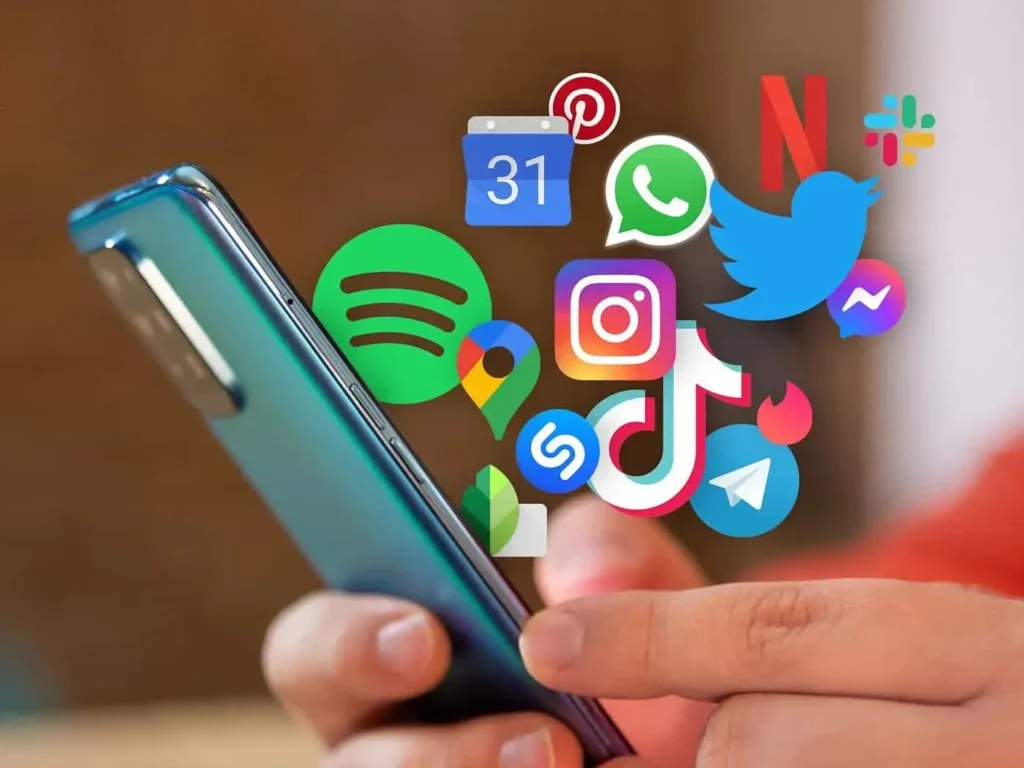
Programs that are usually used for smart devices and which can perform a specific task are called applications. In the current digital age, applications have become an important part of our daily lives. We use apps in all areas of our daily lives such as: education, communication, entertainment, banking services. However, if we do not know how to use apps, then we will not be able to use the applications to their maximum capacity or enjoy all the features of the apps for all these tasks. Applications are designed according to the needs of their users. As a result, working in applications is very easy and can be done quickly. As a result of technological advancements, applications are now not limited to just exchanging information but also providing advanced facilities including artificial intelligence, cloud storage and various payment systems. There are several main reasons to use applications:
- Fast and Easy: When an application is installed on your device, you can access the required services from the app at any time within seconds. This saves us time and increases the speed of work.
- User-friendly interface: Most applications are made for smart devices in such a way that their interface is very simple and user-friendly. As a result, the applications can be used very easily even without much knowledge about technology. People from all walks of life are using the applications very comfortably.
- Versatile: There are so many features in a single app, which reduces the need for the user to use separate software and solves the storage problem. Therefore, your smart device is always fast.
- Cost-effective: Many applications can be used for free or premium software can be installed at a low cost, meaning advanced services are available that help increase business and work efficiency.
- Increased work efficiency: The use of specific apps in all fields, including official work, online education, and digital marketing, increases productivity and improves work quality.
The importance of how to use apps will increase further if you want to meet the various needs of daily life and keep up with the modern world.
How To Get Your Favorite Apps
In the current digital age, finding your favorite app has become much easier than before. However, in the crowd of numerous apps, you need to use some awareness and intelligence to choose the right and effective apps for you. Smartphone users download apps from the official app store. Not only do you have to download the apps, you can also know how to use apps.
- The popular app download platform for the iPhone is the App Store.
- The most popular app download platform for Android users is the Google Play Store.
These official stores are very secure and are improving the security of the apps through regular updates. Therefore, these are both platforms for collecting reliable apps for smartphone users.
There are several popular steps in app selection. They are:
- Determine your own needs: First of all, you need to think about what kind of work you want to do with the application. When you can determine your needs, then search by typing the keywords related to that app in the search bar. It will be very easy to find your application through the search bar. However, if you use the word best or top along with the name of the app, you will get better results.
- Rating and Review System: When you search for the application you need, you will see different application software in the same category, many of which do not understand how effective an app is or which application will be best for you. To solve this problem, you can use the rating and review system. If you click on the application logo and scroll down a little, you will find numerous comments or user experiences. By reading these, you will understand whether the developers of the application are still active or whether there are regular updates. Then by reading the rating, you can easily select the application you need.
- Verifying the identity of developers: Before installing any application, we must know whether the application is made by a trusted company or a known developer. Downloading application files from unknown sources or websites is very risky. Because all these applications may contain viruses or harmful links. So it is better to use all the applications you need from the official app store.
- Application Size and Permission Feature: Installing a large app for a small task takes up a lot of unnecessary storage. Some apps also ask for many unnecessary permissions. You should only allow those permissions that are necessary for the application to be used for your task. Otherwise, it can be risky for you.
- Regular update system: You need to check whether the app of your choice can run with your device’s operating system or whether regular updates are available. Regular updates mean that the app’s bugs are fixed and new features are added to the app.
How to Use Apps or select your necessary apps, you can also get an idea about popular apps through technology blogs, YouTube reviews or social media. Therefore, it is not just a matter of searching for your favorite apps, but it is wise to check your awareness and install safe and effective apps. Keeping all these things in mind, you can select the best application according to your needs and use it safely.
How To Download And Install The App
In the current era of smartphones, downloading and installing applications is a common task, but there are some important processes that you can follow to download the app easily and understand it. You can serve systematically. We do not know how to use apps and how to complete the installation and explanation. It is most popular to download apps from their official stores. Because all the apps that are displayed in the app store are connected through very secure means. Which results in very few cases of malicious software.
- The Google Play Store is a popular platform for downloading apps on Android.
- The Apps Store is the platform for downloading apps for the iPhone.
There are several steps to downloading the app. If you follow them, you can use the application safely.
- First of all, your device must have an internet connection. If you have an active WiFi or mobile data connection, you can enter the App Store. Then, when the store opens, type the name of the application you need in the search bar at the top. The search result shows multiple apps because there are thousands of applications in the same category for which you have searched in the search option, which you should check for ratings, reviews, number of downloads, etc.
- When you enter the page of the selected app, you will see a button called “Install” or “Get”. On Android, “Install” is displayed, and on iOS, “Get” or a cloud icon is displayed. Tapping this button will start the download. In some cases, you may be asked for your Google account or Apple ID password or Face ID. After authorizing the account password, the application will be downloaded and installed on its own.
- Once the download is complete, you will usually find the application on the home screen or in the apps drawer.
Sometimes applications can be downloaded and installed from outside the official store. However, this is very risky. If you have to install external files for special needs, then you have to enable the “unknown sources” option.
By following these few points, you will be able to use the app safely and correctly and enjoy the maximum benefits of technology.
Apps Open And Initial Setup
Many of us make many mistakes during the opening and initial setup of the app. So today we will learn step by step how to set up the app to how to use the app, we can gain knowledge very easily and professionally. Some of the steps are mentioned below in very simple language.
Finding And Opening The App
First, go to your smartphone’s home screen or apps drawer. On Android phones, swiping up from the bottom will open the app drawer. On iPhones, all apps are on the home screen.
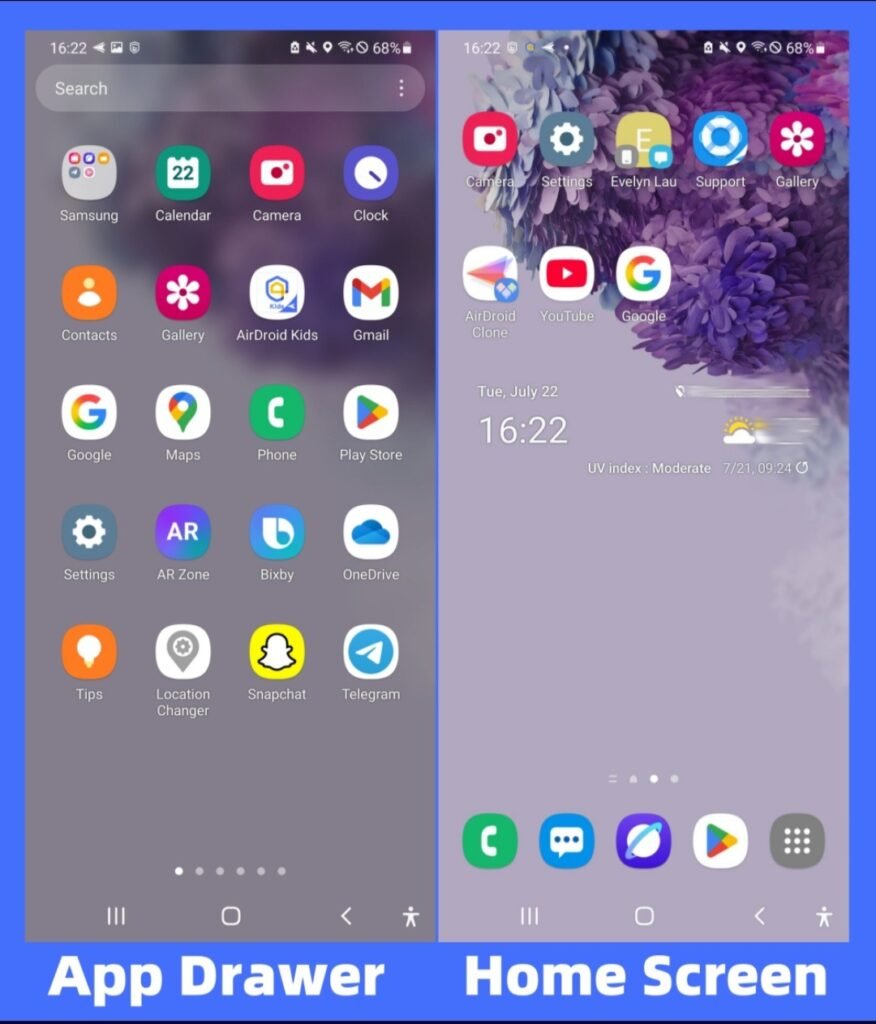
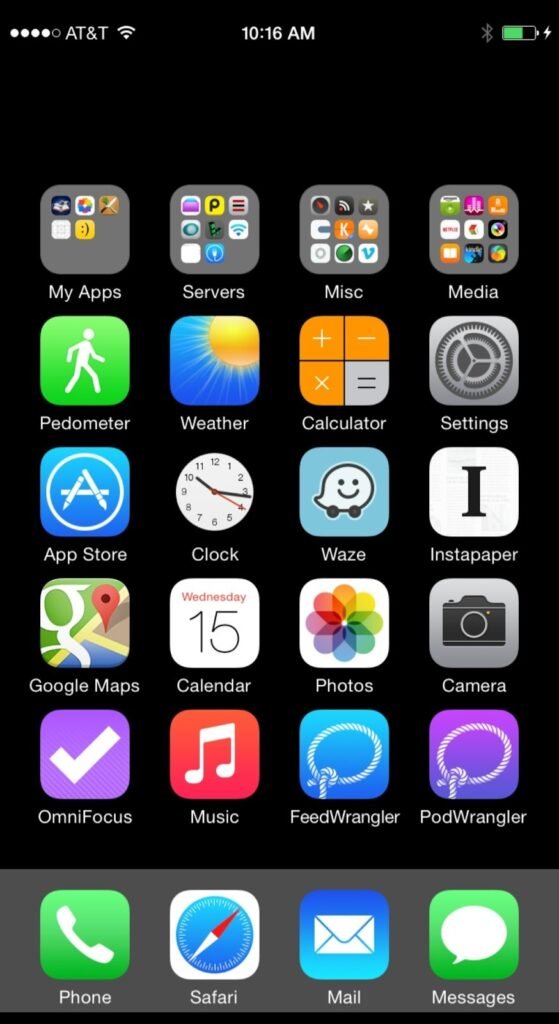
Then tap once on the icon of the app you want to use. For example, if you want to open Facebook, WhatsApp or YouTube. Then just tap on that icon and the app will launch. The app may take some time to open for the first time, as it loads initial data. Once we know how to use apps, we can easily figure out the solution.
Language Selection And Initial Welcome Screen
Many apps display a Welcome or Get Started screen when you launch them for the first time.

Here you will be asked to select the language. Select the language that suits you. Then press the “Continue” or “Get Started” button. This step usually briefly shows some features of the app. Which is called onboarding. There may be an option to skip this, but if you are a new user, it is better to check them out.
Sign Up Or Login
In most cases, you will need to create an account to use the app. If you already have an account, click “Log In” and enter your email and password.
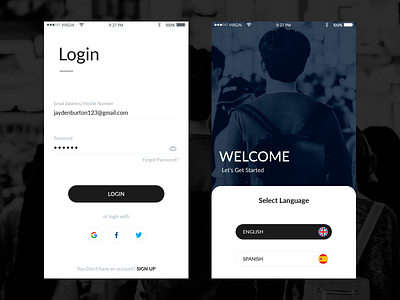
And if you are new, go to the “Sign Up” or “Create Account” option and register with your name, mobile number or email. Sometimes you may need to do OTP (One Time Password) verification. Enter the code sent to your mobile in the specified field and confirm. Use a strong password which is very important for security.
Permission
Do you know how to use apps permission? The app may ask for various permissions when launched, such as camera, microphone, location, or file access.
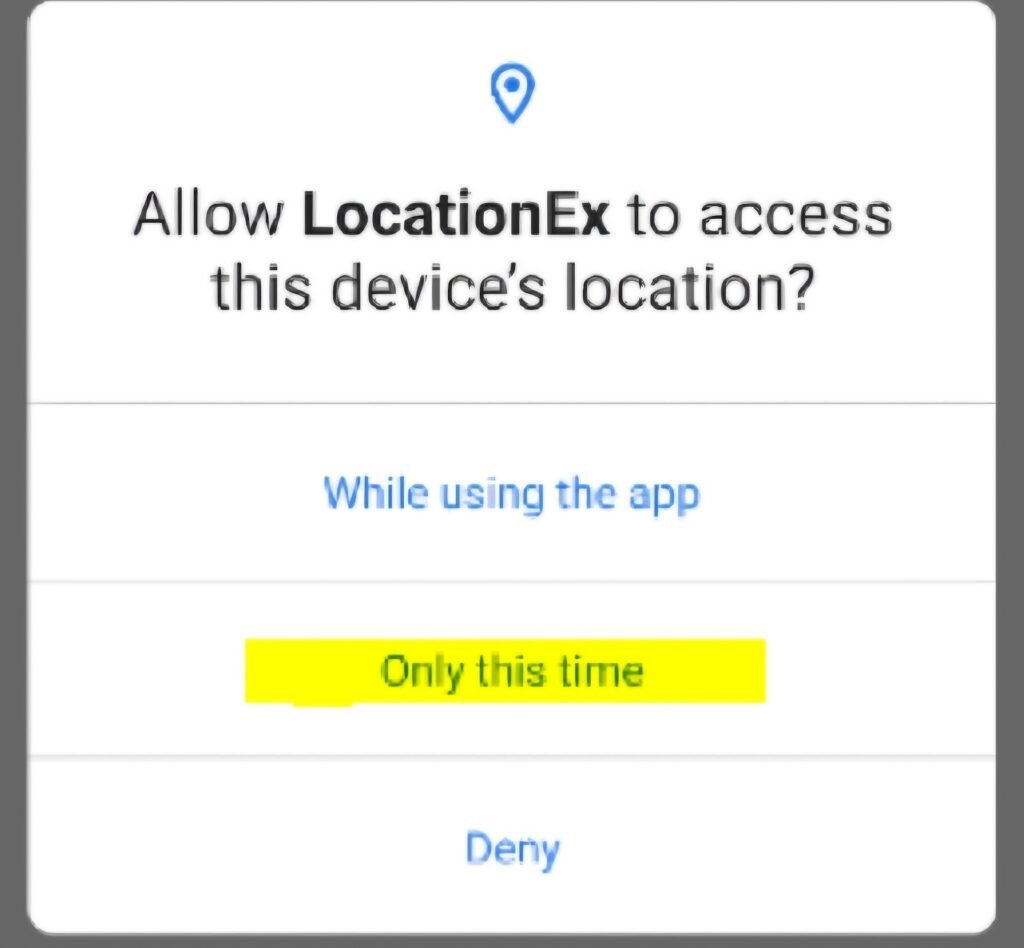
For example, video calls require camera and microphone permissions. There will be an option to “Allow” or “Deny”. Grant permissions as needed. However, granting unnecessary permissions can put personal information at risk, so you should make a conscious decision.
Profile Setup And Customization
Once the login is complete, the option to set up a profile appears.
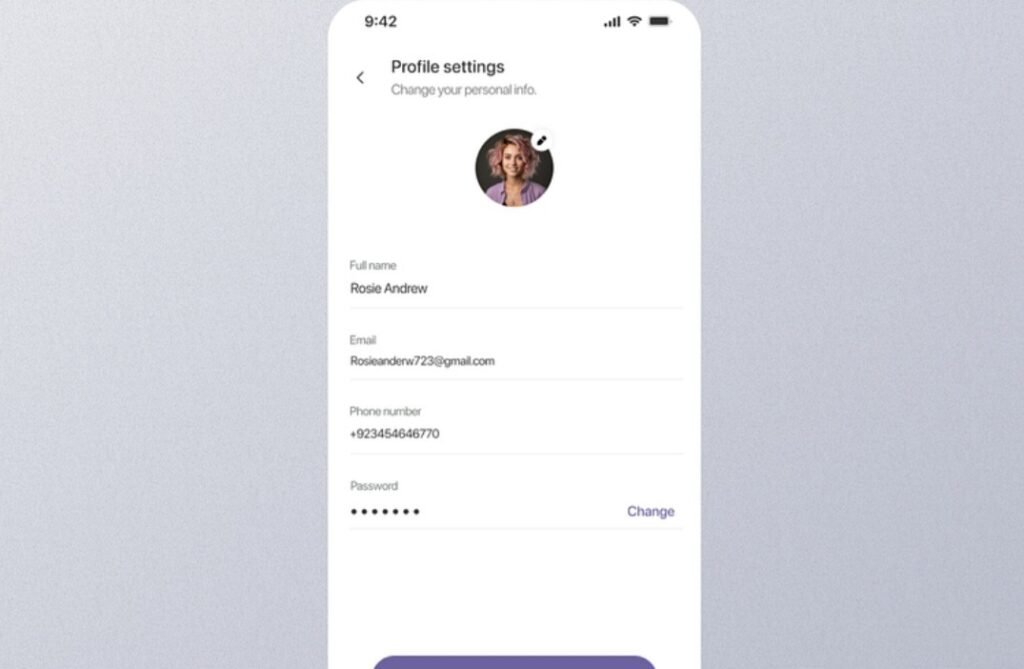
Here you can add your profile picture. You can change your name or update the necessary information. Then go to the settings option and customize notifications, privacy and theme. For example, turn on or off notifications, enable dark mode, etc. This makes using the app more comfortable.
Explore The App’s Key Features
Once all the setup is complete, you will enter the main interface of the app.
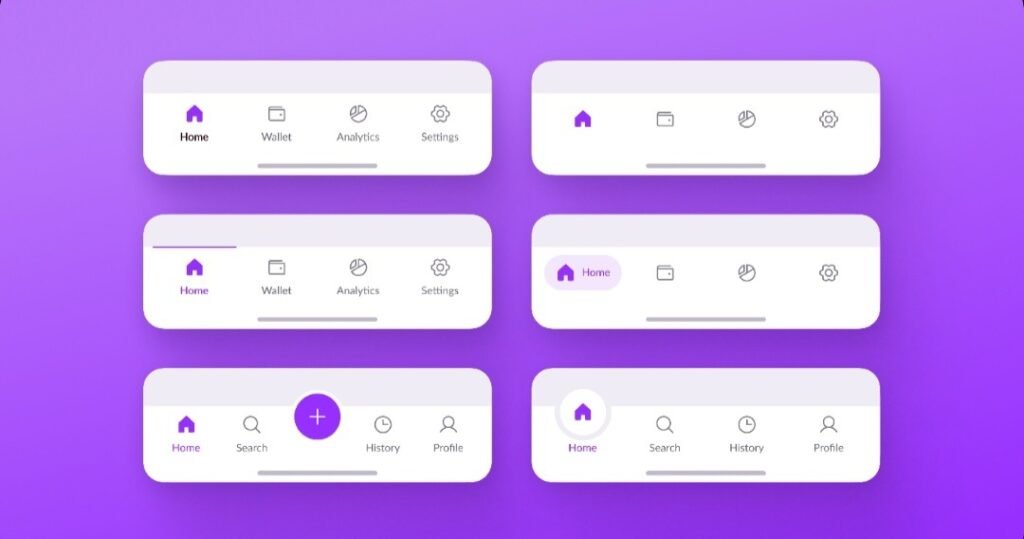
It usually has a navigation bar at the bottom, search options at the top, and various features in the form of tabs. Some apps show tutorials, which will help you understand the features easily. Go through each option slowly and practice. As a result, you will be able to gain good knowledge about the app in a very short time. Which will quickly make you a professional. So we should know how to use the apps, otherwise we may face big problems.
Understanding The User Interface (UI)
User interface is the visible part of an app or software through which a user directly interacts with the app. In a word, when we open an app on a mobile phone. Then we work by tabling on the buttons, icons, text, setting options inside that app. That entire visual and interactive part is called UI. So to understand how to use apps properly, you first need to have a clear idea about the UI. A user-friendly UI improves the user experience. Also, having a simple UI makes it easy for new users to use apps. Usually, the UI of an app contains numerous elements. By identifying these elements correctly, a user can easily understand how to complete a specific task.
Layout And Navigation
Each app has a specific layout. In this layout, information and features are arranged in a specific order.
- Most apps have a navigation bar at the bottom. This navigation bar may include Home, Search, Profile, and sometimes Settings options.

- Some apps have a three-dot menu in the top corner, called a hamburger menu. All of the elements help to guide users.
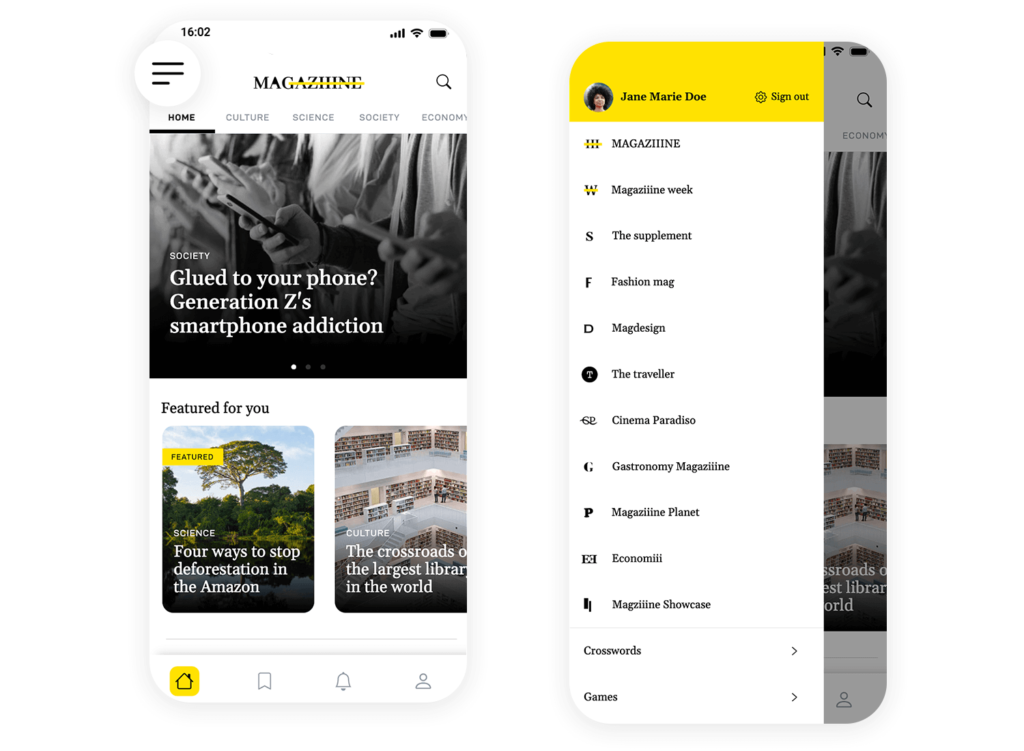
If you know which button will open which page, then you can easily understand the use of apps.
After installing a new application, you should first analyze the home screen well. Then you should enter its various options one by one. Through this, you can easily understand the function of each option. This increases people’s confidence in using the app.
Recognize Icons, Buttons, Symbols
A large part of the UI consists of various types of icons and symbols. Through these icons and symbols, we understand what the function of a symbol is. Some of the symbols are mentioned below.
- The gear icon usually refers to settings.

- The magnifying glass icon represents search.

- The bell sign indicates notifications.

- The right arrow means going to the next step.

Once you have mastered these basic concepts, you will be able to use almost all applications in the same way. So understanding the meaning of icons is very important when learning how to use apps. A UI is designed in such a way that the user does not have to read any separate instructions. It automatically understands what will happen when you press a button.
Settings And Customization
Almost all applications have a settings section. Through which there are options to change the language, turn notifications on and off, change the theme, etc. There are many users who use the basic features of the application but they are indifferent about the settings options. However, if you understand the settings well, it becomes easier to use the app. From the settings, you can customize the application as you like. Therefore, it is very important to master the settings section completely.
Feedback system
When you click on a button in an app, if the screen changes, you will know that your command has been accepted. These visual feedbacks reassure the user and teach them how to use the app properly. Nowadays, many modern applications are designed in such a way that users get a free tutorial when they use it for the first time. By reading this tutorial carefully, you can get a complete idea of the app’s UI.
Understanding the user interface is very important to get a complete idea about the entire app structure, navigation method, and setting options. Understanding the logic of the UI makes it much easier to use any new application. So, the first step for those who want to know how to use apps is to carefully observe the user interface.
Why Is It Important To Update Apps
Updating apps is a very important part of the digital age. Many users do not give much importance to this issue. In reality, updating an app regularly does not mean downloading the new version but enjoying security, performance, new features, etc. For those who want to know how to use apps, they need to gain a clear understanding of app updates. When an app is first created, developers cannot anticipate all the problems. When users start using the app, new problems are detected according to the type of device and operating system. Developers release new updates to solve all these small problems. If users do not update the app, then those old problems will remain. As a result, your device may become extremely slow or your favorite device may suddenly turn off.
- The first and most important reason to update apps is to improve security. Cyber attacks have increased a lot these days. Hackers try to steal user information by exploiting an old software vulnerability. If an app’s security vulnerability is detected, a security update is released quickly. If the user does not install the updated application, then his personal information may be at risk. Therefore, to stay safe in the online world, you should always install and use updated applications.
- The second important reason for this is improved features and performance. App developers try to meet the needs of users over time. For which new features are added. If you do not update, you will be deprived of all these new benefits. Many times, the size of the app is optimized through updates. As a result, data and battery consumption is reduced. Updating apps is very important to make them work smoothly.
- The most important reason is compatibility with the device and operating system. The operating system of mobile phones is also updated regularly. Apps may not work properly with the new operating system. Then the performance of the app decreases or the application crashes. To solve these problems, developers update the app to ensure compatibility with the new system.
How to use apps, it is very important to maintain coordination between the device and the app in this process. Many times, unnecessary features are removed through updates. This improves the experience of using apps. You will also get the benefit of auto updates here. If there is a WiFi connection, the apps are updated automatically.
Therefore, as a conscious user, it is very important to develop the habit of updating apps regularly.
How To Use The App Safely
Using apps safely is a very important issue these days. We use various types of mobile apps every day. But many people do not know how to use apps safely. Due to not paying attention to this issue, many people have problems with personal information being leaked and accounts being hacked. There are several ways to solve these problems.
- The first step to using apps safely is to download apps from trusted sources.
- You should avoid downloading apps from unknown or third-party websites, as there is a high chance of viruses entering.
- Before installing apps, you should check reviews, ratings, and download numbers before downloading them.
- Permission management is a very important issue. For example, if a torch app asks for microphone or location access, then it is definitely suspicious. You should not allow any permissions unless necessary.
- Applications should be kept updated regularly. When apps and operating software are updated, new security features are added, which makes your personal information more secure.
- When opening an account, you should use a strong password. If possible, 2FA should be enabled.
- You should not use WiFi for banking or payments. Data can be intercepted on public networks. If it is very important, then VPN can be used.
- Unnecessary apps should not be kept on the device. As the saying goes, the more apps, the more access points. And the more access points, the greater the risk. Unnecessary apps should be uninstalled from the device.
- You should regularly check your app’s privacy settings. Many apps may have additional data sharing enabled by default. Turning these off in settings can increase your privacy.
It is very important to keep a backup of every app. Keeping a backup in the cloud or offline prevents data loss. Also, it can be a good habit to read the official help center or guide to learn how to use apps. This will help you know the security features of the app. It is not a good idea to give a Save Password to an unknown device while logged in to the app. You should log out of important apps after work.
The biggest protection is in awareness. No matter how advanced the technology is, if the user does not understand and uses it, then there is a risk.
Storage And Performance Management
Storage and performance management is a data storage system to keep mobile devices running fast and efficiently. Nowadays, we use numerous files and software every day, due to which the device’s storage fills up quickly. As the storage fills up, the device’s performance gradually starts to decrease. Therefore, it is very important to know storage and performance management for those who want to know how to use apps.
- First of all, you need to remove unnecessary files and apps.
- We should uninstall all the applications that we have not used for a long time. Because these applications occupy extra storage. Which makes your device very slow.
- It is necessary to clean cache temporary files regularly. The cache data of the applications that have been running for a long time makes the phone very slow. If you clean this cache data regularly, the phone’s performance will be fine.
- Regular system updates are a performance booster. Updated software is much more optimized. Storage device concepts change, which has a big impact on performance.
- Keeping backups is very important for storage management. This way, you don’t have to worry about deleting old files.
Storage and performance management is not a one-day task, it is an ongoing process. Regular monitoring will help your device perform faster for a long time.
Tips For Being Proficient In Using Apps
If you want to know how to use apps, then you need to be passionate about using apps. Here are some bonus tips.
View official guides and tutorials
After installing a new app, check its Help Section and Tutorial. This helps you understand basic features quickly.
Take a look at the Settings options first
Many important features are hidden in Settings. Learning to customize the app will make your work faster.
Keep updates regularly
Updating the app will provide new features and speed improvements.
Learn shortcuts
Many apps have hidden shortcuts. Knowing these will speed up your work.
Control notifications
There is no need to keep all notifications on. Keeping necessary notifications will reduce your attention.
Turn off unnecessary permissions
Give only the access that the app needs. This improves both security and performance.
Practice using apps regularly
You don’t have to limit them to just reading, you have to practice them regularly.
Keep cloud sync and backup on
There will be no fear of losing data, and you will be able to continue working even if you change devices.
You can’t run multiple apps at once
Closing unnecessary apps increases both focus and speed.
Explore new features regularly
See what’s new with each update. This will keep you ahead of the others.
This is actually an important skill in digital life. Nowadays, many people use smartphones. However, most of them cannot use applications properly. Therefore, it is very important to know how to use apps, how to learn and how to manage them properly.
Applications are being used in every task of today’s life. Therefore, it is not enough to just install the app, but to use it properly. When the user can learn about the UI, menu, settings and advanced features of the app and can apply it in real life, his work will be faster and more professional. You have to be very patient and attentive to learn about applications. Many applications seem very complicated at the beginning, but with gradual maintenance and practice, using those applications becomes very easy. However, it is not enough to just learn to use apps, but rather to be aware of storage and performance. The more free storage is on your device, the more power efficiency of your device will increase. Keeping all these things in mind, we can very easily take technology into our own hands. With proper knowledge and conscious use, your personal information will be more secure.