Today’s time is called the era of science and technology. “Software” is now being used at every step of every developed country. Each software is best for its work, from its own place. Starting from working on a laptop, we are now using software at every step of life. It is not just a program, it is a method of solving a problem.
So, in this article, we will learn which software is perfect for which work and which software should be used for which purpose. Along with that, we will learn from which side how to install software safely.
Along with that, we will discuss the topic of “Software Guide” from beginner to professional level. So that everyone can benefit by using the right software.
What Is Software And Why Is It Is So Important

Software is a guide that helps a PC or mobile to do a specific task. Software is the brain of the device. Just like the human body cannot do anything without the brain. Similarly, the device cannot run without software. To overclock the full power of your device, you need to select the right software.
Nowadays, the importance of software has increased day by day in every step of human life. Software is now being used in almost all aspects of office work, home, business. Software makes all complex tasks including calculations easier and faster. It also ensures online security. Software is also currently being used for entertainment. So today we have brought you a complete “Software Guide” that will make you a special expert.
Main types Of Software
Software is basically divided into four categories.
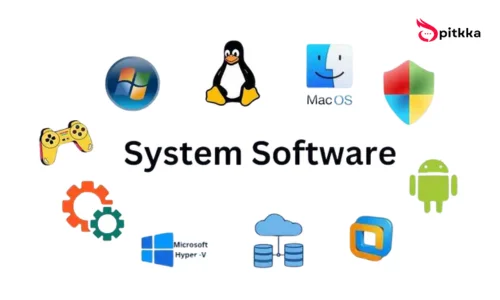
1. System software: Which acts as the mother software for the device. Without this system software, you cannot turn on your device. This software is called operating software. The three popular operating systems are Windows, Mac, Linux.
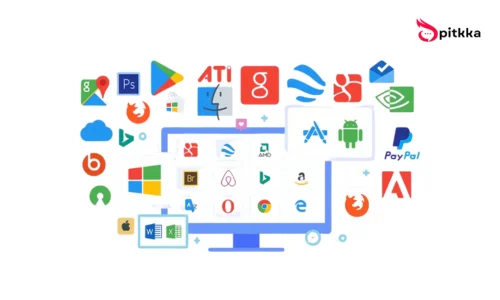
2. Application software: It helps its users to perform specific tasks. For example: writing, prefix design, video editing. You can also use these software to create documents.
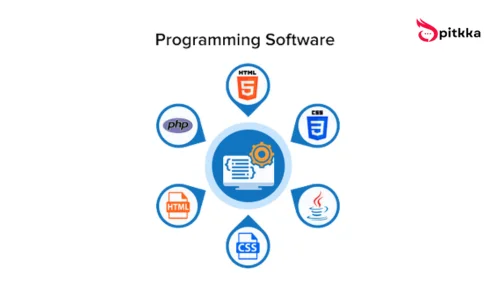
3. Programming software: It is used only by developers. Using all these software, you can create and customize different sites through different codes. You will get all kinds of tools for customization in this software. However, if you are not a developer, then you will not understand anything about this application.
Before choosing the right software, it is important to determine your type of work. Whether you are studying, office work, design, video editing, business accounting, freelancing, gaming or data analysis. It is easier to decide if you are clear about what you will use it for.
The Type Of Software Will Change Depending On The Task
While choosing software, we need to pay attention to some special things or features. They are mentioned below:
1) Device capacity: If your device is run by an old processor, it will affect your work speed. If the RAM of the device is less, then running heavy software on it will get stuck and will greatly affect your work speed. Also, if your device does not have any graphics card, then you will not be able to edit professional-level videos.
2) Then let’s discuss a special issue, that is, many users want to know whether free software is more effective or paid software is more effective? In my opinion, if you are a beginner, then you should start working with free software. However, it has some limitations. But those who are going to start working at a beginner level can work quite well with free software. And if you want to do professional-level work, then of course you have to use paid software. You will get a lot more trial in paid software. With which you can customize your work more beautifully. Special attention is also paid to security in paid software.
3) Next, we need to pay attention to the quality of the software interface. This is a very important point that many people avoid. To manage something efficiently, you need to gain knowledge about it. No matter how powerful a software is, if you cannot use it, then you will not be able to get the expected results even with that powerful software. The interface of many software is very complicated. If you have read our software guide, then you will definitely avoid software with complicated interfaces.
4) You need to install software from a safe and trustworthy place. If you are using any fake or cracked software, then you should avoid them. Cracked applications contain a lot of malware viruses that can make your device extremely slow or steal your important information.
You will find some special tips for today’s software guide below the article.
While installing the software, you must read all the permissions it asks for and then click on install. This will keep you and your device safe.
Windows, Android And IPhone: Which Software On Which Platform
In this software guide we will most be know the operating system changes, the benefits and use of the software change.
Under the Windows operating system, you will get thousands of software with which you can easily do all the work of the office and your daily life. Since it is used for multipurpose work, it has become the most popular operating system.
Android is the most popular mobile platform where you will get the largest number of applications. If you can manage your daily work very easily. Here you will get the most customization opportunities. However, security is not given much attention here. Android users are always satisfied with the variety and customization of the app. If you want to use Android apps safely, then you should avoid third-party applications.
On the other hand, MacBook, i.e. iOS, is popular for more security and optimization. Here you will get less customization opportunities, you cannot use any third-party applications. However, its performance is very smooth and perfect. Many apps are locked in this operating system. File management is also somewhat limited. However, for those who pay more attention to security, then iOS may be the best for you.
Important Software Categories As Per Need
Considering the type of work, selecting software is easy and effective.
Students and general users generally do not need high efficiency software. They usually do simple tasks like writing documents, creating PDFs or reading PDFs. Many college and university students do not need such powerful software to take online classes and write down class notes. Software with a light and easy interface is required to do these tasks.
For official and professional work, a little stable and secure software is required. These tasks are done by MS Word, cloud storage, various types of accounting tools can be used for complex calculations.
Graphics and photo editing requires powerful software. However, you will find a lot of software for graphics work. You can do these tasks with the software with which it will be easy for you to start working or the software interface is easy for you.
If you want to do video editing, then you should first pay attention to your device. If you want to do video editing, then you should pay attention to your device. If the device is capable of delivering high power. Then you can install and use powerful video editing software. Usually, video editing requires a lot of RAM and graphics cards. You can also use video editing software based on the capabilities of your device and your skills. It will completely depend on your work, preferences and knowledge.
You need to use more secure software for business accounting. If you use security software, your personal information can be hacked. Which can harm your business.
I tried to give a software guide line based on category and user needs.
Right Way For Installing Software
Many people make mistakes while installing software. As a result, the device becomes slow, viruses enter or the app does not work. Follow these rules to install safely:
1) Use official or trusted sources:
The biggest mistake is downloading software from unknown websites. This can introduce viruses to your device or steal data.
The software may not work properly
2) Never click Next without waiting for the installation time:
Many software installs additional toolbars or unnecessary apps during installation. So choose Custom Install to avoid unnecessary apps.
3) Install the software by checking storage and permissions
You should also pay special attention to whether it is asking for unnecessary permissions or not.
If you do not follow the software guide, your device will not only become slow, but also very slow. Which will cause you annoyance.
Why Is Software Update Necessary
Many users find software updates annoying. In this software guide ,If you want to enjoy safe and more customized software, then software updates are very important.
Software updates add new features to the software. The problems that were in the previous version are fixed in the new version. Security is improved in every update.
You have to be especially careful while updating the software. Before your update, you must backup your important data. Avoid updating the software on a low battery. Software updates should be done from a place with good internet connection. And the most important thing is that many people do not check the settings after updating the software. If you want to use the software safely and know the new features added in the new update, you must check the settings.
Because you can use a software to its maximum extent only when you gain a complete knowledge about that software.
Professional Tips For Using Computer Software
By reading the software guide, you will know how to use a computer or software to do your work faster and in less time. Below are some professional guides.
If you organize the software according to different categories, you will find the software very easily, which will save your time. Never keep work software and media software together. Keep them separately. So that you can find them easily when needed.
Try to keep the computer’s startup programs as low as possible. This will make your personal computer turn on very quickly. If a lot of software is started as soon as the computer is turned on, your computer may slow down or overheat and drop in performance. If you want to keep your computer at its best performance all the time, then you can definitely do this.
Back up your important files regularly. Due to various reasons, your hard disk may be damaged or your file may be deleted accidentally. If you do not back up your important files, then your important files may be lost from you forever. To avoid this problem, take regular backups of your personal important files.
Also, another professional tip for you is to learn more and more shortcut keyboard keys. Which will play an important role in making your daily work more professional.
Common Solutions For Software Problems
If you follow our software guide, you will get solutions to various software-related problems. However, it is not uncommon to have problems using software. It can happen. Below are some common software problems and their solutions:
Software is not opening?
Restart the device, check if the software is updated to the latest version. If the software is not updated to the latest version, then you must update the software. Then reinstall it. If you still face so many problems, then check your system requirements. Then work according to the requirements of your computer.
Is the software running slowly?
Software usually runs slowly due to low RAM. So if you can eliminate low RAM, then you will get a solution to this problem.
Is the software crashing or hanging?
This problem is mainly caused by driver update problems. If you use properly updated drivers, you can stay free from this problem.
Are you getting viruses or suspicious behavior from your computer?
Scan the antivirus. Delete unnecessary and unknown software and also change the password of your important files. If you still feel this problem again, then take your system to factory reset mode and reinstall it.
Perfect Software Setup For You
Not all users will be able to fit the same software or device. Because the needs and work patterns of all users are never the same. In many cases, due to budget constraints, it is not possible to build or buy the device you have planned. After thinking about all these things, you should create the perfect device and perfect software setup. In today’s software guide, we will discuss software suggestions for beginners to businessmen.
Suitable Software Suggestions for Students
- Documents + PDF
- Notes App
- Browser
- Google Meeting App
- Cloud Storage
Suggestions for Freelancers
- Office Software
- Communication Tools
- Design/Editing Software
- File Backup
- Task Manager
Suggestions for Content Creators
- Video Editing
- Audio Editing
- Thumbnail Design
- Script Writing
- Storage and Backup
Suggestions for Businesspeople
- Accounting Software
- Customer Management
- Stock/Inventory
- Reporting Tools
- Data Security
In all these categories, you usually have to work on these topics. Now, which software you will use for which task will depend entirely on your experience and the ease of use of the software interface. Apart from this, in many cases, the user may need many tools, based on these needs, you have to select a reliable software.
Best Strategies For Learning Software
Many people think that learning the basics of software is difficult. If you learn the task in the right way, then you can easily gain good knowledge about the software.
1) Do not try to learn many software at once, choose one software and learn its basics well. Once you have learned one, then learn about another software.
2) Practice is the real thing, learning is not done just by watching videos. You have to use the knowledge gained by watching videos in a practical way.
3) You have to increase your skills in a professional manner by using software in your personal and professional way. When a person focuses a lot on a task or keeps doing a task repeatedly, he gains experience on that task. In the beginning, you can try all these tasks if you want. For example:
Write a report in Word
Make a monthly budget in Excel
4) Do not be afraid of making mistakes because you learn from mistakes. Patience is the greatest strength in learning software. You have to be very patient to learn about technology or gain experience about it.
Software is a wonderful discovery of science and technology. Which can do all our daily complex tasks with just one click. In many cases, we are not able to use the software properly, which causes various complications in using the software. Both the speed of work and the speed of the device gradually go down. If you use the software incorrectly, your personal information can be stolen. The device can be attacked by viruses and the speed of the device can go down to its lowest level. So we always have to be careful in selecting and using software.
The main purpose of our Software Guide is:
You can choose the right software according to your own needs and install it safely and use it. You can keep it updated and solve problems if there is a problem. No matter how advanced the technology is, if you have basic knowledge about software, you will always be one step ahead.