Useful software is essential for enhancing productivity and simplifying complex digital tasks in our daily lives.
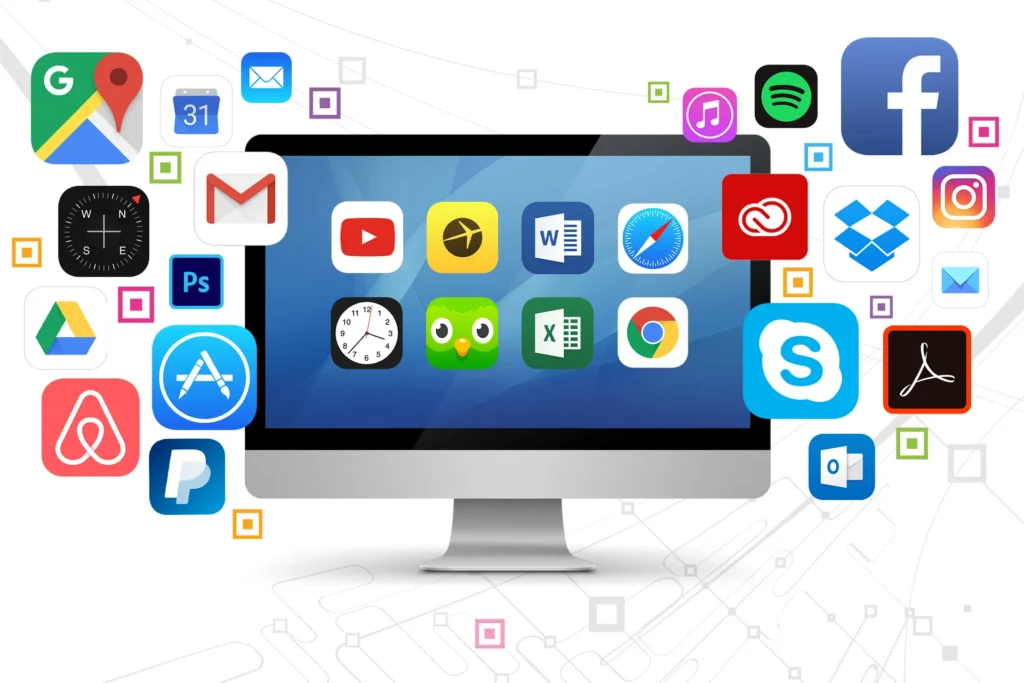
We all know how dependent our lives are on technology these days. From the moment we wake up in the morning to the moment we go to bed at night, we use various digital tools. But sometimes our work becomes more difficult if we cannot choose the right software. So in today’s discussion, we will talk about some necessary software that will make your work easy and enjoyable.
As a common man, we always want to use something that is hassle-free. Suppose, you are working in the office or studying at home, what if you get a software that organizes all your work at that very moment? In fact, it is difficult to imagine life without Useful software in the modern era. Now we will know in detail step by step which software is essential to have on your device.
All the best essential software for your PC or phone
After buying a new PC or phone, many of us initially lose track of which apps we need first. Suppose you are searching for something on the internet but your browser is slow, what good mood do you have? So it is very important to have a fast browser like Google Chrome or Microsoft Edge. Again, for urgent office work or keeping study notes, you cannot do without Microsoft Office or Google Docs.
So, have you ever thought about the security of your device?
What if a virus suddenly enters your hobby PC or phone and destroys all the files? So having a good quality security software or antivirus will extend the life of your device.
For entertainment, VLC player on the PC and YouTube on the phone are musts. Again, if you are fond of editing images, you can easily give a professional look using Canva or Snapseed. Share-it or Nearby Share saves a lot of time for file exchange. These small software will make your device more powerful and useful. Are all these apps working properly on your device?
When we buy a new computer or smartphone, the first thought that comes to our mind is – what apps or software to download? In fact, it is much better to keep the things that work than to fill the memory with unnecessary software. Did you know that the right software can cut your working time in half?
Below we will discuss some categories that will be useful to you.
Essential office tools to increase productivity
There is no alternative to Microsoft Office or Google Workspace for office work or writing. With these software, you can easily create documents, calculations, and presentations. Especially for those who work online, these should be the first choice as useful software.
Easy solutions for graphic design and video editing
Nowadays, we have to do small image editing or video creation ourselves. Tools like Canva or Adobe Premiere Pro are very popular for this. If you don’t want to do too much work, you can try Canva. Won’t this take your creativity one step further?
Essential apps for browsing and online security
Our security is the biggest concern while using the internet. It is important to use a good browser like Google Chrome or Firefox as well as a good antivirus. Security should be at the top of the list of useful software so that your personal information is not stolen.
| Types of Software | Why Use It? | Interesting Facts |
| Office tools | To keep your work organized | This will reduce your laziness and double your work speed! |
| Design Software | To Express Creativity | Did you know that a simple design can change your career? |
| Browser and Security | To keep information safe | It acts as your digital bodyguard in the vast world of the Internet. |
The role of software in maintaining the continuity of daily work
Is the device in our hands from morning to night just for talking?
Not at all. Nowadays, the right software for PC or phone brings our chaotic life into order. Suppose you are a very busy person but forget about an important meeting? Apps like Google Calendar or Microsoft To-Do keep your work pace by reminding you on time. Again, is it possible to go a day without Excel or Google Sheets for large office files or calculations?
It is important to keep certain tools in mind to maintain the security of your device and the speed of work. A good notepad app or cloud storage like Dropbox keeps all your documents safe. These software basically work like your personal assistant, without which it is difficult to survive in the current era.
Do you have these necessary tools arranged on your phone? Apps like WhatsApp or Zoom have now become the lifeblood of communication.
Are you afraid of suddenly losing all the pictures or files on your phone?
Using Google Drive can easily get rid of that worry.
File Management and Cloud Storage
Google Drive or Dropbox work great for keeping all your essential files in one place and accessing them from anywhere. As a result, there is no fear of losing or damaging your hard drive. Have you ever thought, what would happen if all your memories or important files were lost with a single click? So having a backup is a great relief.
Social Media and Communication Tools
Nowadays, communication means WhatsApp, Messenger or Zoom. These tools have brought us closer to each other. Be it an office meeting or a chat with a friend abroad—useful software is everywhere. They save our time and make communication more lively.
Explore more here: Latest Gadget News
Some of the best tips to keep your device running smoothly
When we use a computer or laptop, it becomes slow after a while. Have you ever wondered why this happens? In fact, unnecessary files and cache memory accumulate, which slows down your device.
To get rid of this problem, Useful software is the ultimate solution for keeping your computer running smoothly.
Regular PC cleaning will increase your work speed a lot. Many people think that buying an expensive computer is the solution to all problems, but did you know that even expensive things can become useless without proper maintenance?
System Optimization and Speed Up Techniques
Tools like CC-Cleaner or Advanced System Care work great to keep your computer running smoothly. These softwares clean the junk inside your system. If you use them regularly, your PC will work as fast as before.
Don’t you think that with a little care, your old laptop can also serve like a new one?
Drive Update and Hardware Management
Sometimes our printer or mouse does not work properly because its driver is not updated. For this, it is wise to use Driver Booster or such useful software. These automatically check and update all your drivers. As a result, you no longer have to manually search for which parts are not working.
File Recovery and Data Backup
Deleted a file by mistake? No need to worry! It is possible to recover lost files with software like Recuva or Disk Drill. Can you imagine what it would be like if years of photos or office files were lost in a second? That’s why these types of backup tools need to be on your PC at all times.
Modern use of video conferencing and online meetings

Is it possible to hold all meetings in person like in the old days? Not at all. Nowadays, having Zoom, Google Meet or Microsoft Teams on a PC or phone means that the entire office is at your fingertips.
Well, have you ever thought that it would be possible to give an interview to a big company abroad even from a village?
These modern softwares have made it possible. From office meetings to school classes, everything is now going great through online video calls.
With the facility of screen sharing or sending files in these apps, tasks are now much faster. Not only talking, but also explaining any topic by showing a live presentation or using a whiteboard is now as easy as water. Are you worried about the background or audio quality of your video meeting? With the use of noise cancellation or virtual background, professional meetings can now be held very easily even in a home environment. Are these important apps updated on your phone?
Team Collaboration and Project Management:
Slack or Trello are now popular worldwide for teamwork. Here you can keep everyone in your team in one place and share work. This makes it easy to understand who has done what. Well, if you had to call repeatedly to communicate with your team, would the work environment be okay? Of course not!
Screen Recording and Tutorial Making
OBS Studio or Lum is very useful for those who work on YouTube or teach. With these, you can record your screen very easily. As a useful software, they are available for free and their quality is also excellent.
Don’t you think that teaching something through video is easier than writing?
Online File Sharing and Transfer
Large files cannot be sent via email, then we have to take the help of WeTransfer or Google Drive. It delivers your file to its destination very quickly. For security reasons, these file transfer tools have now been improved a lot.
| Software Categories | Special Features | Why do you need it? |
| Optimization | Speed Up | There is no alternative to keeping your PC from hanging! |
| Communication | Video Call | Did you know that remote work is impossible without it? |
| Recovery | File Recovery | Can lost files really be recovered? Yes, it is possible! |
New levels in gaming and multimedia experience

Is your mind satisfied just by working on your PC or phone? To get the real taste of entertainment, you need some great gaming and multimedia software.
Well, have you ever thought about how to enjoy 3D sound even with ordinary quality headphones?
Software like Dolby Atmos or SteelSeries will take your gaming experience to a whole other level. Again, if you have OBS Studio or Discord on your PC, the joy of playing games with friends is doubled.
For watching videos, there is VLC player or PotPlayer, which plays movies of any format as clear as water. Are you afraid of lag or hang while playing your favorite game? Using Game Booster or Graphics Control Panel will make your device’s performance super fast. These modern tools can turn your ordinary device into a powerful gaming console. Do you have these high-speed software installed on your device?
High-Definition Video Players
We have all heard of VLC Player or KM Player. They support all types of video formats and their sound quality is also very good. If you are a movie lover, then these tools are a must-have on your PC. Won’t this make your movie watching experience more realistic?
PC Game Boosting and Performance
Razer Cortex or MSI Afterburner are very popular for gamers. They free up the RAM of the PC while playing games so that you can play games without any lag. If your favorite game doesn’t get stuck in the middle, wouldn’t the joy of playing be doubled?
Music and Audio Editing Tools
There are Spotify or YouTube Music for listening to songs, but for those who want to create their own songs, Audacity is the best. It is a free and open source software that can be used to edit audio at a professional level.
Screenshot and Image Capturing
We often need to take screenshots for work. Lightshot or snapping tool is very useful for this. You can save or share any part of your screen with just one click.
Modern touch in protecting your device and file management
When we surf the internet, many harmful viruses or malware enter our devices without our knowledge. Have you ever thought, what would happen if your personal password or banking information falls into the hands of others?
To avoid such dangers, Useful software is the strongest shield for protecting your digital identity from hackers. There are many free and paid antiviruses available in the market that guard your PC 24 hours a day. Using the internet without the right security software means leaving the door open and going out.
PC Security and Malware Protection
Reputable software like Kaspersky or Bitdefender provides real-time protection to your PC. They not only protect you from viruses, but also from phishing attacks. Do you know how clever hackers have become these days? You can be destroyed with just one click. So it is very important to have this kind of useful software on your device.
Data Compression and Zip File Management
WinRAR or 7-Zip works great for sending large files via email or saving memory space. It reduces your large files and also allows you to lock the files with a password. Have you ever wanted to protect a file with a password? These tools will give you that assurance.
PDF Reader and Editor Tools
There is no alternative to PDF files for office work or study. You can easily read and edit PDF files with Adobe Acrobat or Foxit Reader. As useful software, they have become so integrated into our daily lives that our work pace comes to a standstill without them.
Some of the best tools for programming and development
If you are a student or want to work in the IT sector, then it is very important for you to learn some special software. The days of using Notepad for coding are over. In today’s era, editors like Visual Studio Code or Sublime Text are much smarter.
Have you ever thought of coding and building your own website?
Code Editor and IDE
VS Code is a magical tool for programmers. It helps you write code and finds errors. Did you know that the right code editor can speed up your programming learning by 5 times?
As a useful software, it is the first choice of all the big developers in the world.
Local Server and Database Management
XAMPP or WAMP is very important for those who are learning web development. It converts your own PC into a local server. As a result, you can check your website without the internet.
Doesn’t it sound very exciting to use your own PC as a server?
Git and Version Control System
When many people work on the same project, GitHub or GitLab comes in very handy. It keeps a record of every change you make. If for some reason the work goes wrong, you can go back to the previous version. Without this benefit of useful software, it would be impossible to handle large projects.
Some Hidden Tips to Make Your PC Smarter
Many of us don’t know that there are some small software inside the PC that makes our lives easier. Suppose, you want to copy many texts at once, but copying and pasting repeatedly is a hassle. For this, you can use a clipboard manager like Ditto. Did you know that a small software can reduce your hours of work to a few minutes? In fact, the world of useful software is very big.
Screen Brightness and Eye Care
Those who work on the computer for a long time put a lot of strain on their eyes. There is a software called f.lux that adjusts the screen brightness of the PC according to the light in your room. Have you ever wondered why your eyes hurt more when you work at night? This will help you keep your eyes healthy.
Keyboard Shortcuts and Automation
You can create your own keyboard shortcuts using AutoHotkey. All your favorite websites or folders will open with one click. This smart use of useful software will make you a pro-user.
Virtual Drive and Disk Mounting
Many people have trouble running ISO files of games or software. You can easily mount these files with Power ISO or Demo Tools. It creates a virtual CD drive on your PC. Do you still need to use old CDs on your PC? He is no longer needed in this digital age.
Conclusion
Finally, it can be said that in the modern world, there is no alternative to software to make your work easy and perfect. No matter what we do throughout the day, some app or tool is helping us in every step of the way.
In today’s discussion, we have talked about several software necessary for productivity, security, design and entertainment. However, remember, it is not enough to just install software, it is also very important to know how to use them correctly. Do not fill your PC or phone’s memory with additional software, but choose only those that are necessary for your work.
If you regularly keep your software updated and avoid pirated versions, your digital experience will be much safer and more comfortable. Take the help of the right tools to build a beautiful digital career or life and move forward in line with technology. Have you chosen the best software on your list of favorites?
The right decision will make your future path smoother. Always use safe and work-appropriate tools.
FAQ: Some questions that come to your mind about the necessary software
What are the 5 most important software?
Google Chrome, Microsoft Office, a good antivirus, VLC player and WinRAR.
Is free software safe?
Yes, but you have to download them from the official site.
Why should you update software regularly?
It is important to update to avoid security risks and get all the new features.
Does antivirus really slow down the PC?
A good quality modern antivirus does not slow down the PC, but rather
provides protection.
Which is the best browser for Windows?
Google Chrome is currently the most popular in terms of speed and features.
What is the easiest way to edit PDF?
If you want, you can use ‘I Love PDF’ online or Adobe Reader offline.
What software should I use if my PC hangs?
You can stop unnecessary processes with CC-Cleaner or Task Manager.
Do you need separate software for mobile?
Yes, you need to download apps from the App Store or Play Store for mobile.
Can software damage hardware?
Bad or virus-laden software can damage the system, so it’s best to be careful.
What are some graphic software that is easy to learn?
Canva is the easiest and most effective design tool.